Dedicated Gateway
A dedicated gateway provides a custom domain for your API endpoint. Follow the steps below to set it up.
Step 1: Create Your Gateway
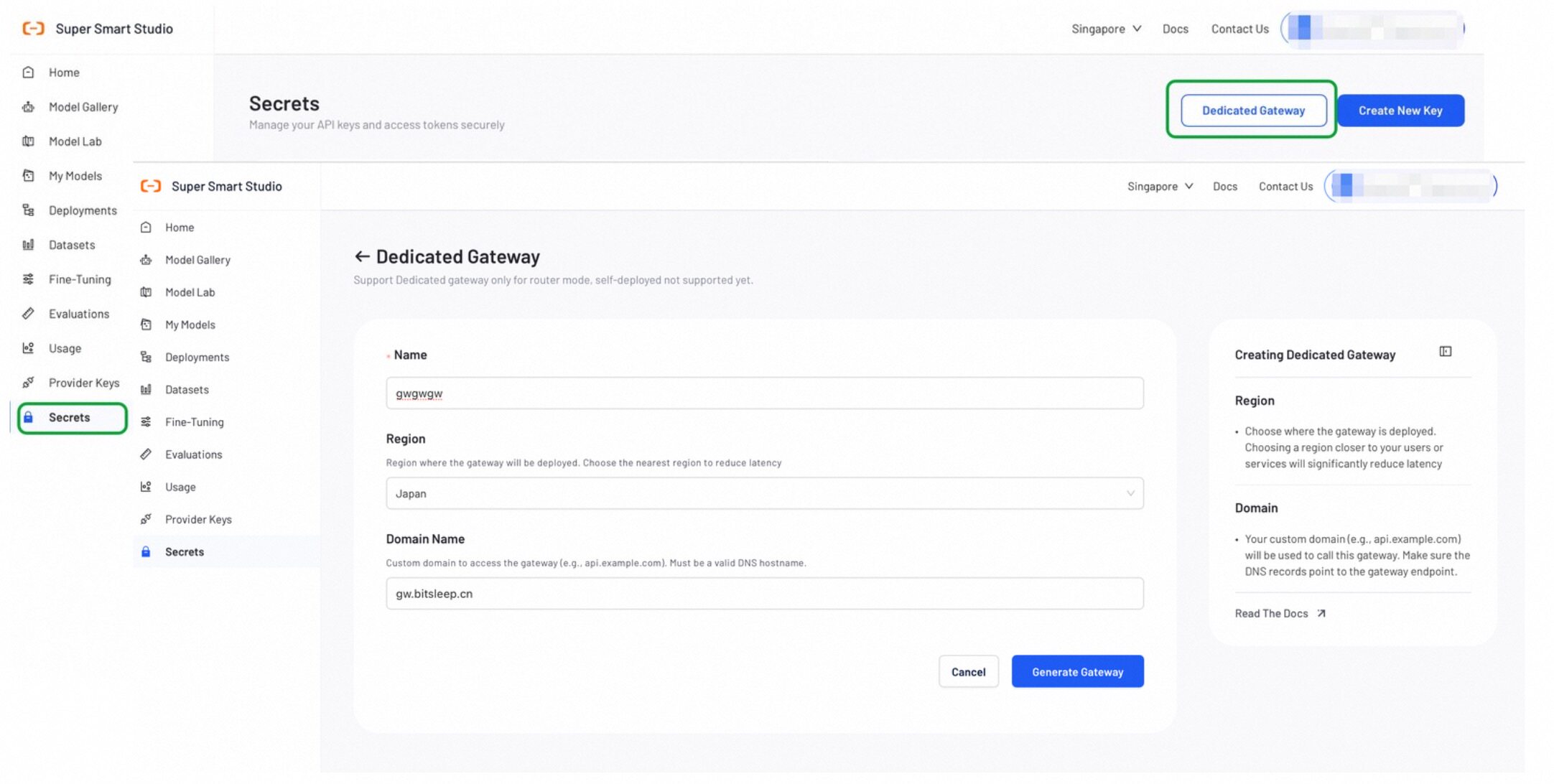
- Go to the Secrets page and click Dedicated Gateway.
- Fill in the following fields:
- Name: A unique name for your gateway.
- Region: Select the region closest to your users.
- Domain: Enter your custom domain (e.g.,
api.example.com).
- Click Generate to create the gateway.
Step 2: Add a CNAME Record
After the gateway is created, go to Gateway Details to find your DNS value(e.g., alb-xxxx.com).
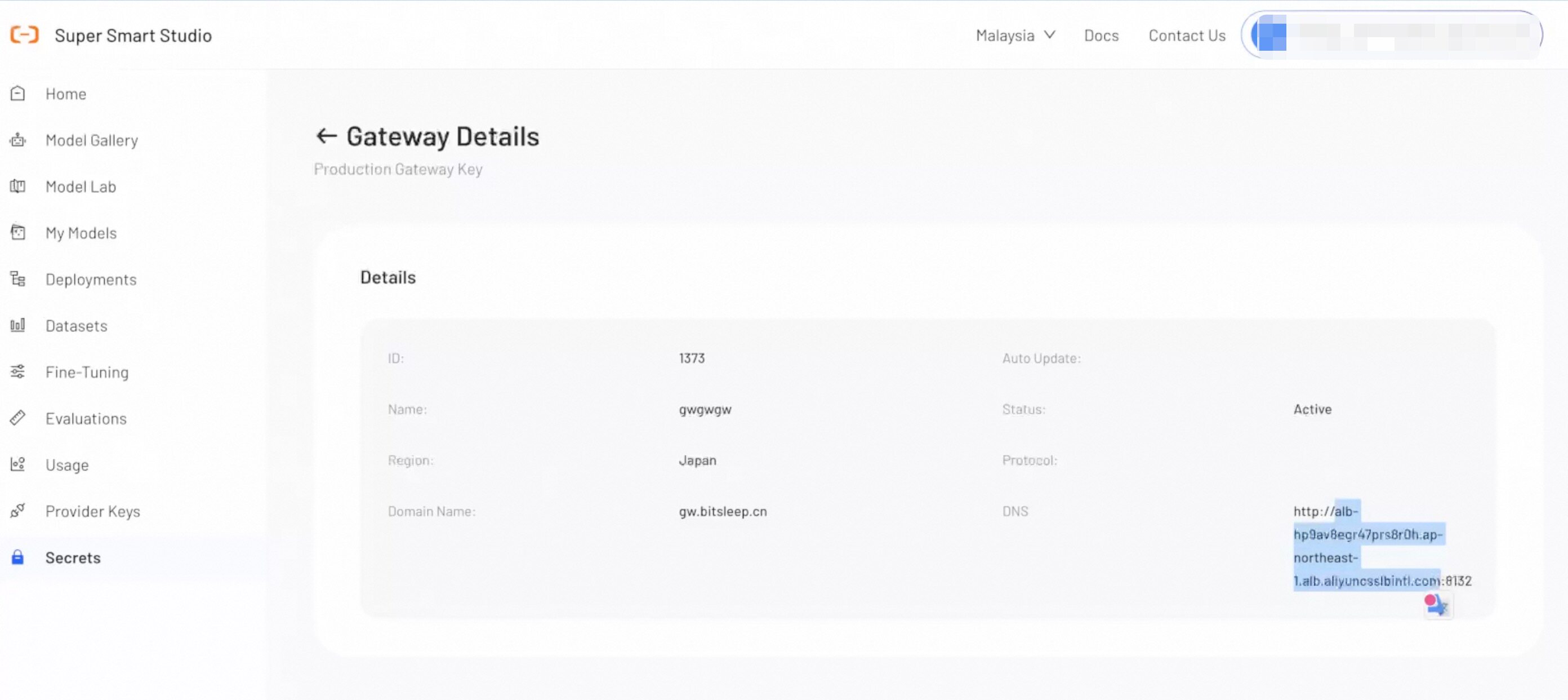
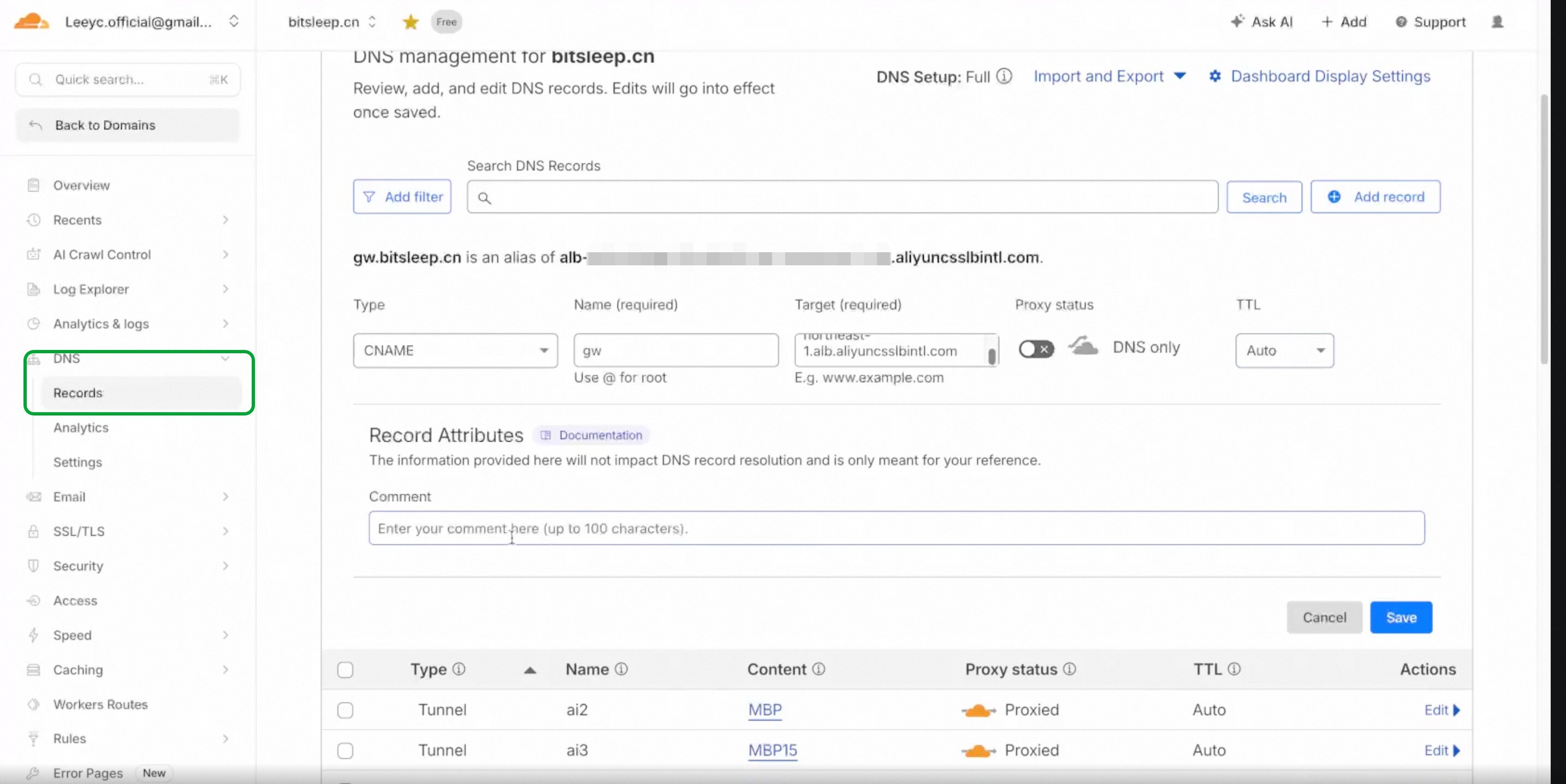
Add a CNAME record in your DNS provider with the following settings:
| Field | Value |
|---|---|
| Type | CNAME |
| Name | The subdomain of your custom domain (e.g., gw for gw.example.com) |
| Target | The CNAME value from Gateway Details |
| Proxy Status | DNS Only(OFF) |
| TTS | Auto |
CNAME configuration steps and field names vary by DNS provider. The example below uses Cloudflare. Refer to your provider's documentation for specific instructions.
DNS changes may take up to 48 hours to propagate.
Step 3: Verify Your Configuration
Once DNS propagation is complete, run the following command to verify your gateway is working:
Example Code
curl --location 'https://<YOUR_CUSTOM_DOMAIN>:<PORT>/v1/chat/completions' \
--header 'Content-Type: application/json' \
--header 'Authorization: <YOUR_API_KEY>' \
--header 'x-sss-title: <YOUR_ACCOUNT_ID>' \
--header 'x-sss-strict-open-ai-compliance: false' \
--data-raw '{
    "model": "@dashscope-intl/qwen-turbo",
    "max_tokens": 3000,
    "thinking": {
        "type": "enabled",
        "budget_tokens": 2030
    },
    "stream": true,
    "messages": [
        {"role": "system", "content": "You are a helpful assistant."},
        {"role": "user", "content": "how are you"}
    ]
}'
Replace the following:
<YOUR_CUSTOM_DOMAIN>: Your custom domain configured in Step 1.<PORT>: The port number from your Gateway Details.<YOUR_API_KEY>: Your API key.<YOUR_ACCOUNT_ID>: Your Alibaba Cloud account ID.
Tip: You can find ready-to-use code snippets in Model Lab > View Code. Simply replace the domain and port with your custom domain and port from Gateway Details.
Video Tutorial
Next Steps
Add your API key in Secrets to create a unified API for accessing all Model resources on the platform.
Find the perfect model for your use case by testing different configurations in our interactive playground.