Configure Model Studio API Keys
To access models from Model Studio within the Smart Studio, you need to configure your API-KEY. This allows for seamless integration and full service access.
Step 1: Obtain an API-KEY from Model Studio
Generate a credential from the Model Studio to allow Smart Studio to access your model resources.
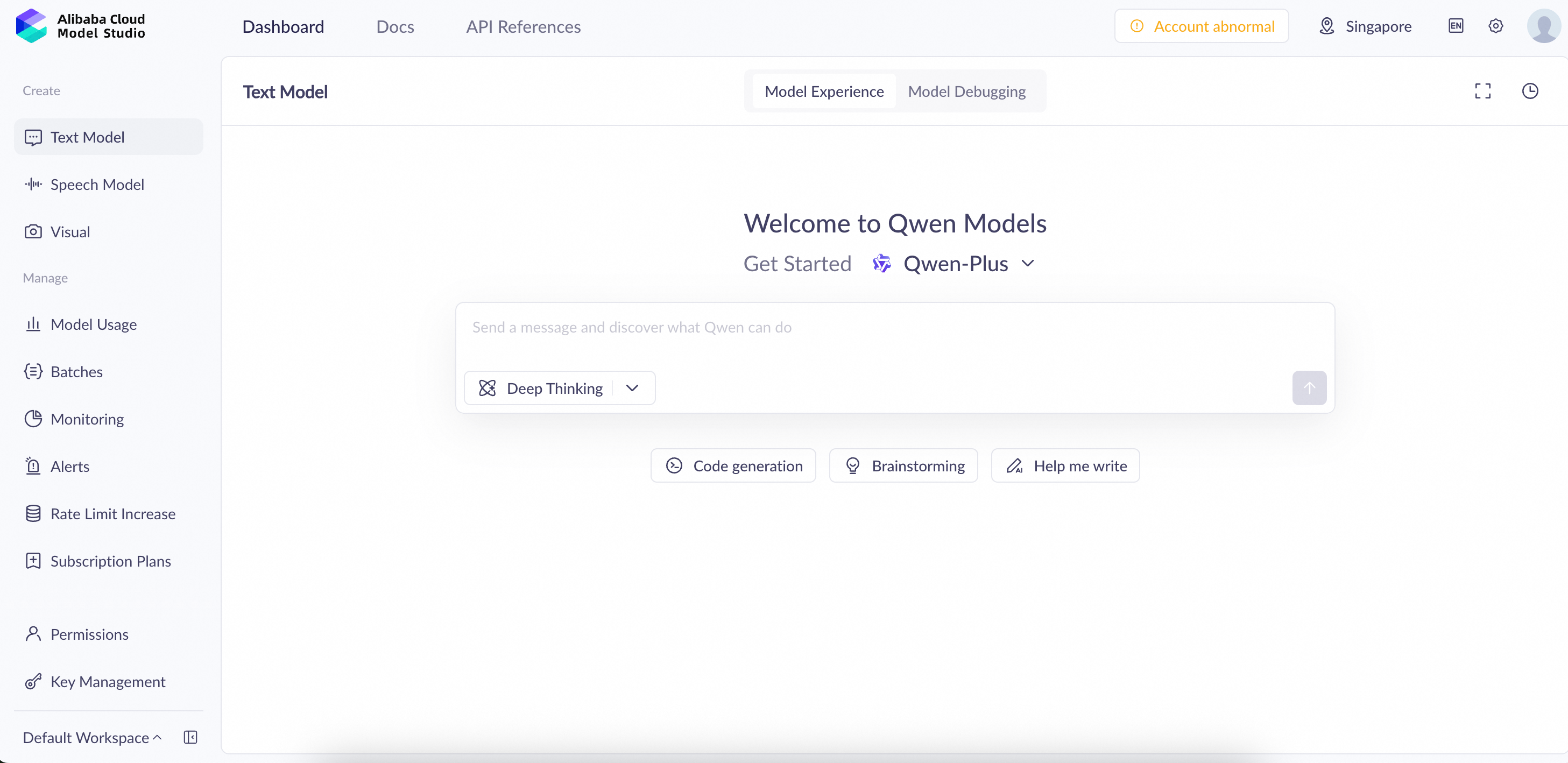
1. Access the Model Studio
Log in to the Model Studio (Bailian) Website using your Alibaba Cloud account.
2. Create a New API-KEY
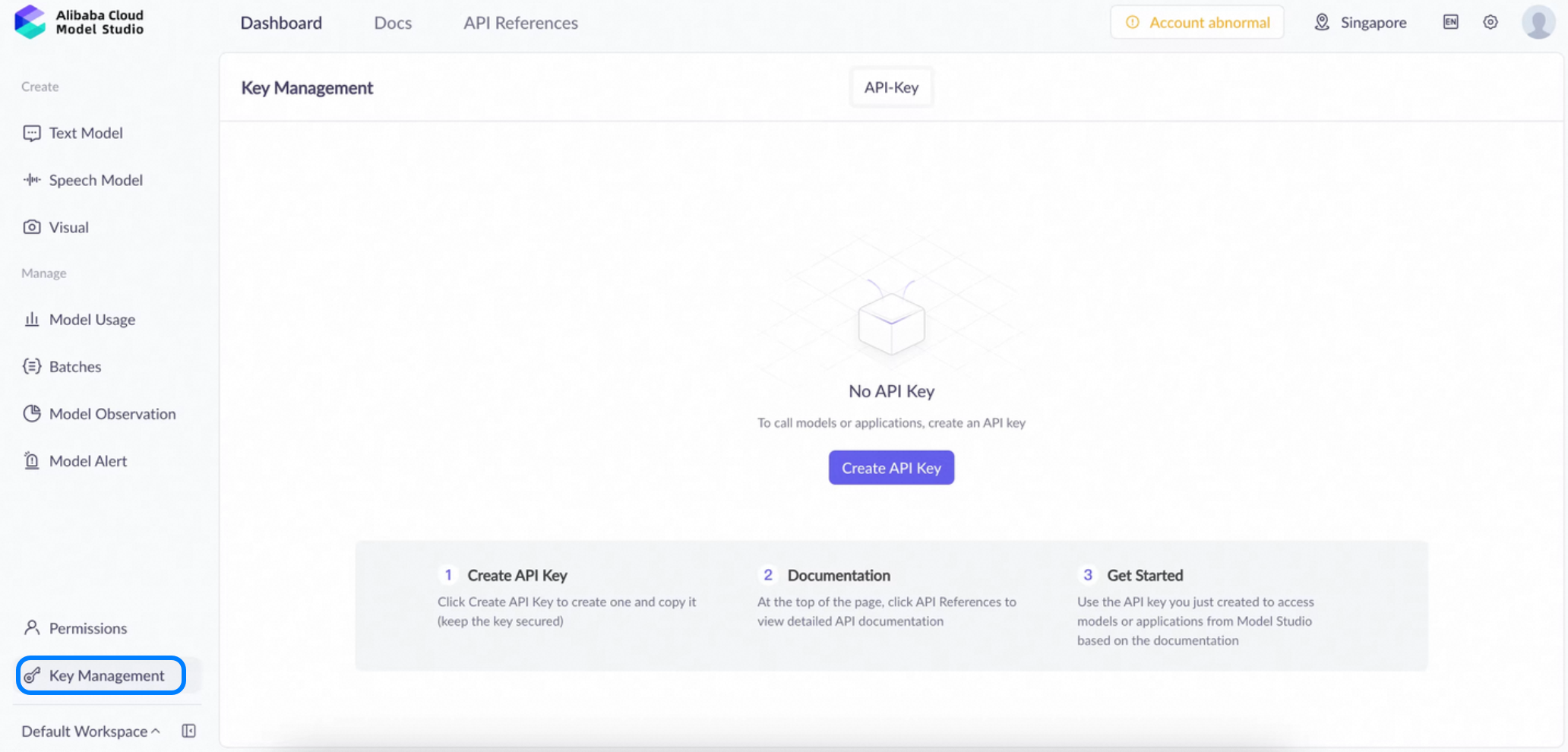
- Navigate to Dashboard > Key Management, click "Create API KEY".
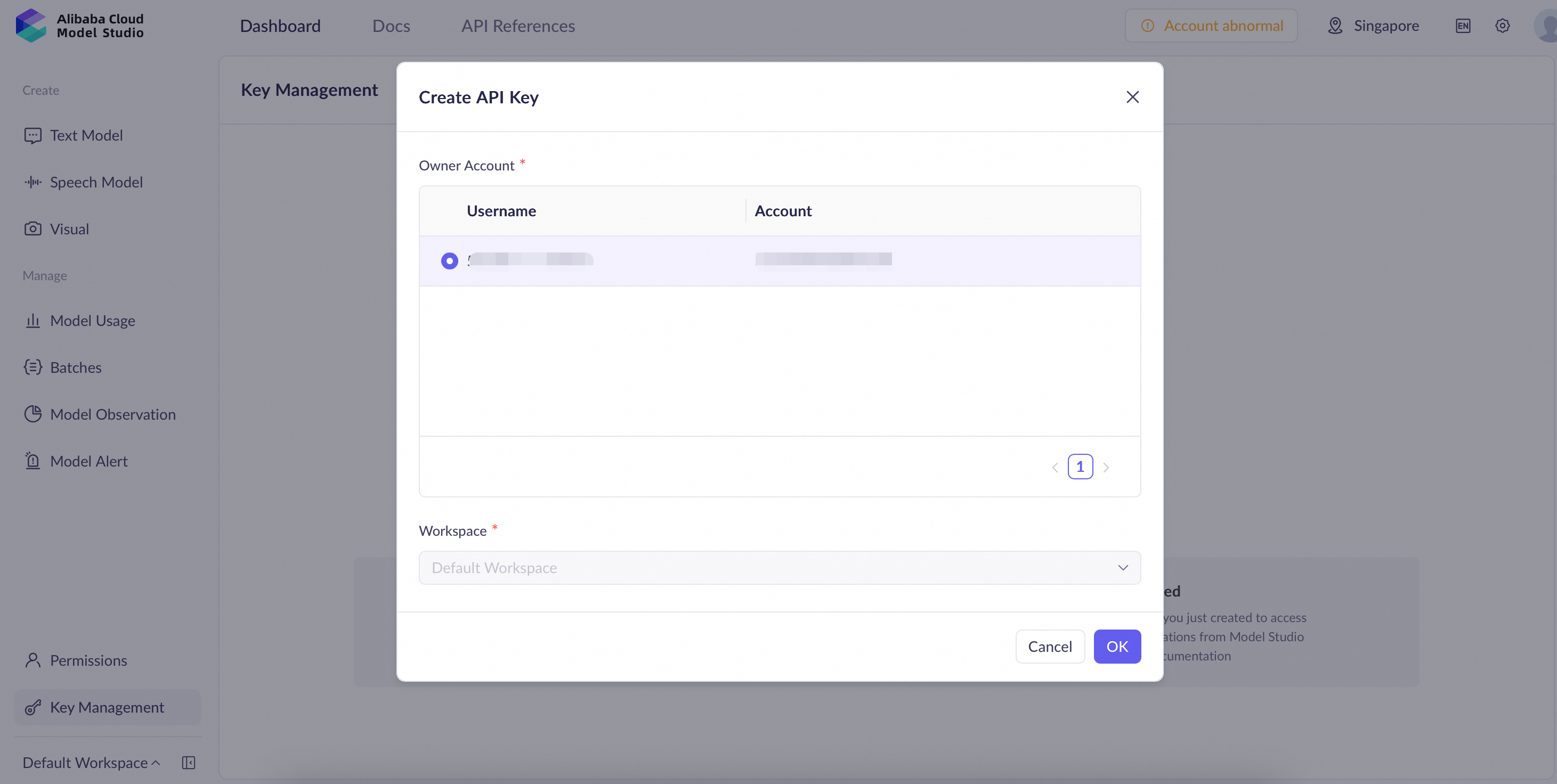
- Select the appropriate Owner account and Workspace, then click OK to finish.
3. Copy Your API-KEY
Step 2: Configure the API-KEY in Smart Studio
Link your Model Studio key to the Smart Studio.
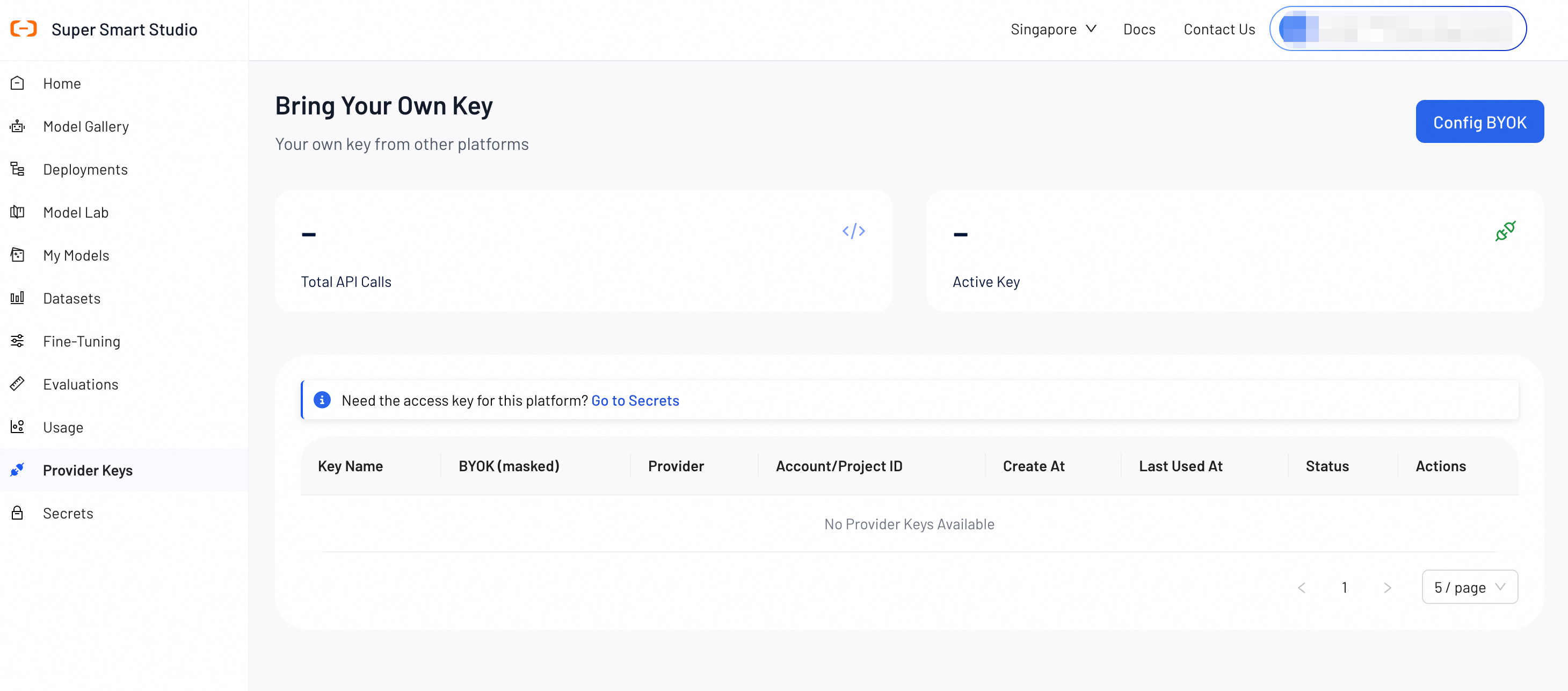
1. Go to the Provider Keys Page
Navigate to the "Provider Keys" section.
2. Configure BYOK Details
Click the "Config BYOK" button and fill in the required information:
-
Key Name: Enter a recognizable name (e.g., Model_Studio_Production).
-
Provider: Select Alibaba Cloud Model Studio.
-
Initial Status: Choose Active to use immediately or Inactive to save without activating.
-
BYOK: Paste the API-KEY you copied from Model Studio.
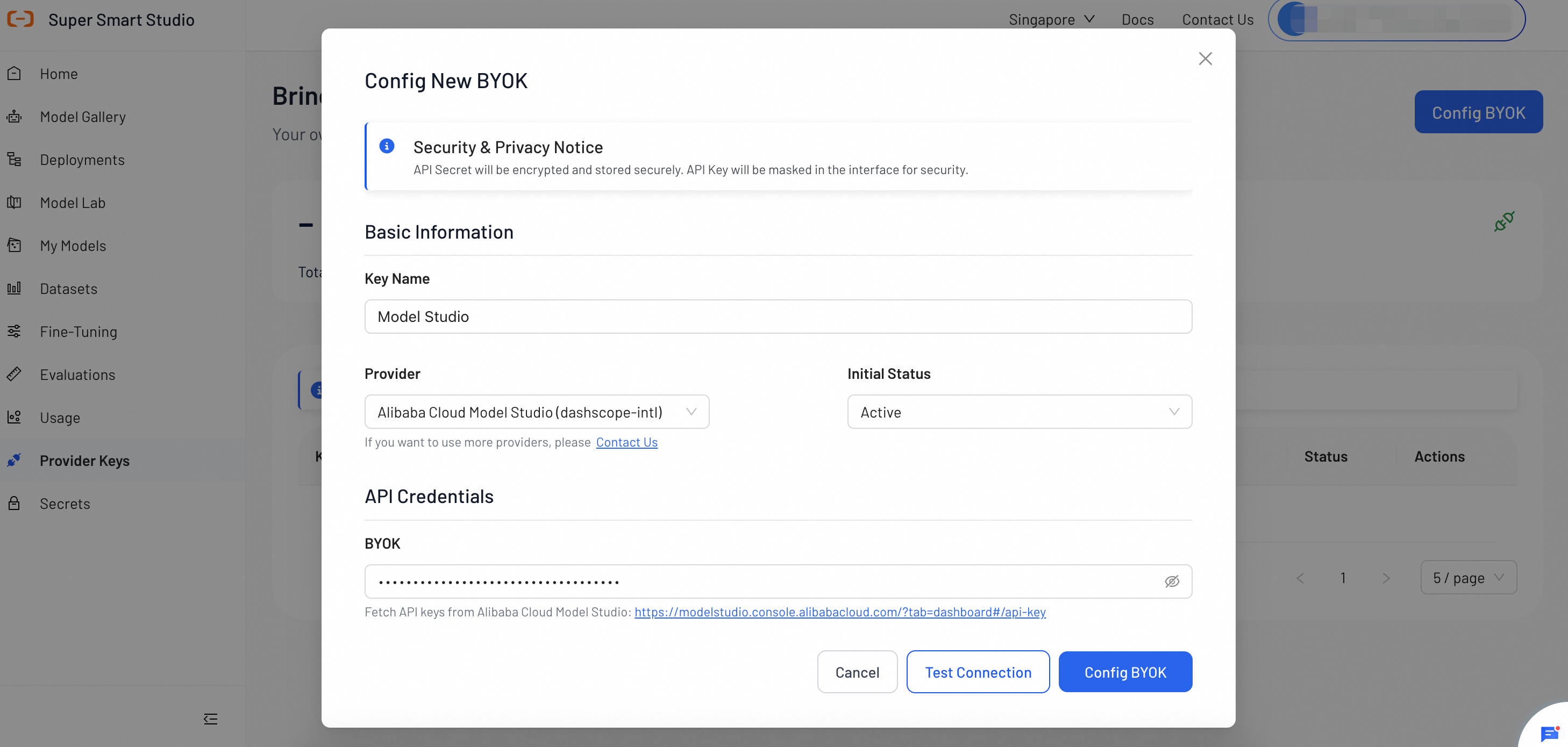
3. Test and Complete Setup
-
Click "Test Connection" to verify that the key is valid.
-
Click "Config BYOK" to finish the setup.
Troubleshooting
If you encounter errors during the "Test Connection" phase, please refer to the solutions below:
1. Error 401: Incorrect API key provided
Failed to test API key connection: 401: Incorrect API key provided.
-
Reason: The API key is incorrect.
-
Solution:
-
Re-copy the key directly from Model Studio to ensure no characters were missed.
-
Check for any extra spaces at the beginning or end of the key when pasting.
-
2. Error 403: Access to model denied
Failed to test API key connection: 403: Access to model denied.
-
Reason: Access is denied because you do not have the required permissions for this model, or the model's free quota has been used up and it does not support paid usage
-
Solution: Ensure your account has completed verification and has sufficient quota to support model usage.
Next Steps
Find the perfect model for your use case by testing different configurations in our interactive playground.
Run professional benchmarks to measure model accuracy and performance.