Create Deployment
Select models from Model Gallery and create a deployment on your own cluster.
Prerequisites
- At least one cluster shows Activated and its expected capacity appears in GPU Observability.
- The model is available in Model Gallery or My Models.
- You understand the model's minimum GPU requirement.
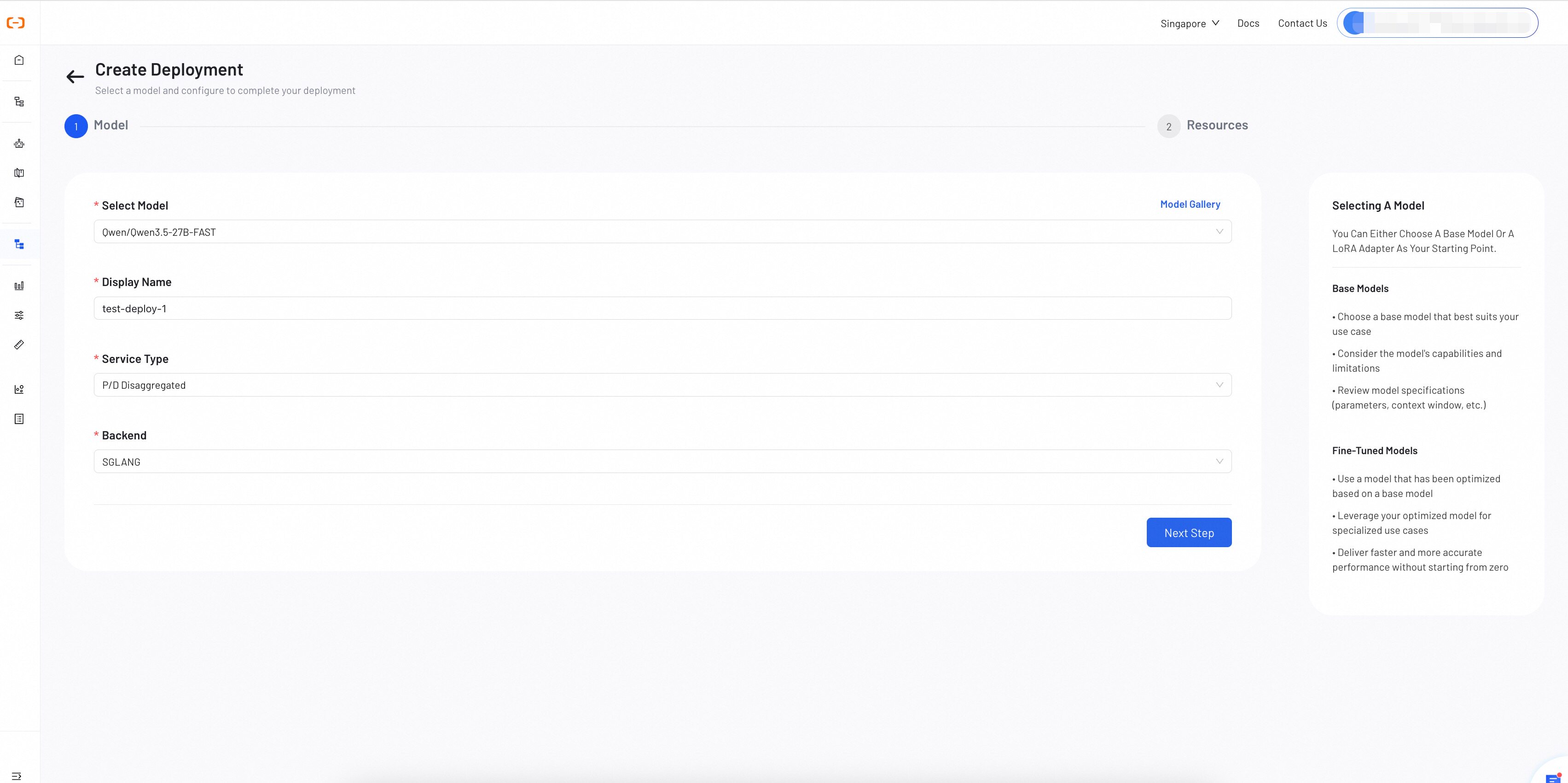
Step 1: Select a Model
Choose a model and configure the basic deployment settings.
- Select Model: Choose a model from the dropdown list or browse the Model Gallery. The selector can include platform, custom, and fine-tuned models available to your account.
- Display Name: A descriptive name to identify the deployment on the dashboard (within 64 characters).
- Service Type: Select the service topology for your deployment.
- Standard: All-in-one inference service, suitable for most use cases.
- P/D Disaggregated: Separates prefill and decode phases into independent services for optimized resource allocation.
- Backend: Select the inference backend engine.
- SGLang: High-performance inference engine with efficient memory management.
- vLLM: Open-source inference engine with PagedAttention for high throughput.
Recommended for high-concurrency, long-context workloads. For low-traffic or short-context use cases, Standard mode is simpler and more cost-effective.
Click Next Step to proceed to resource configuration.
Step 2: Configure Resources
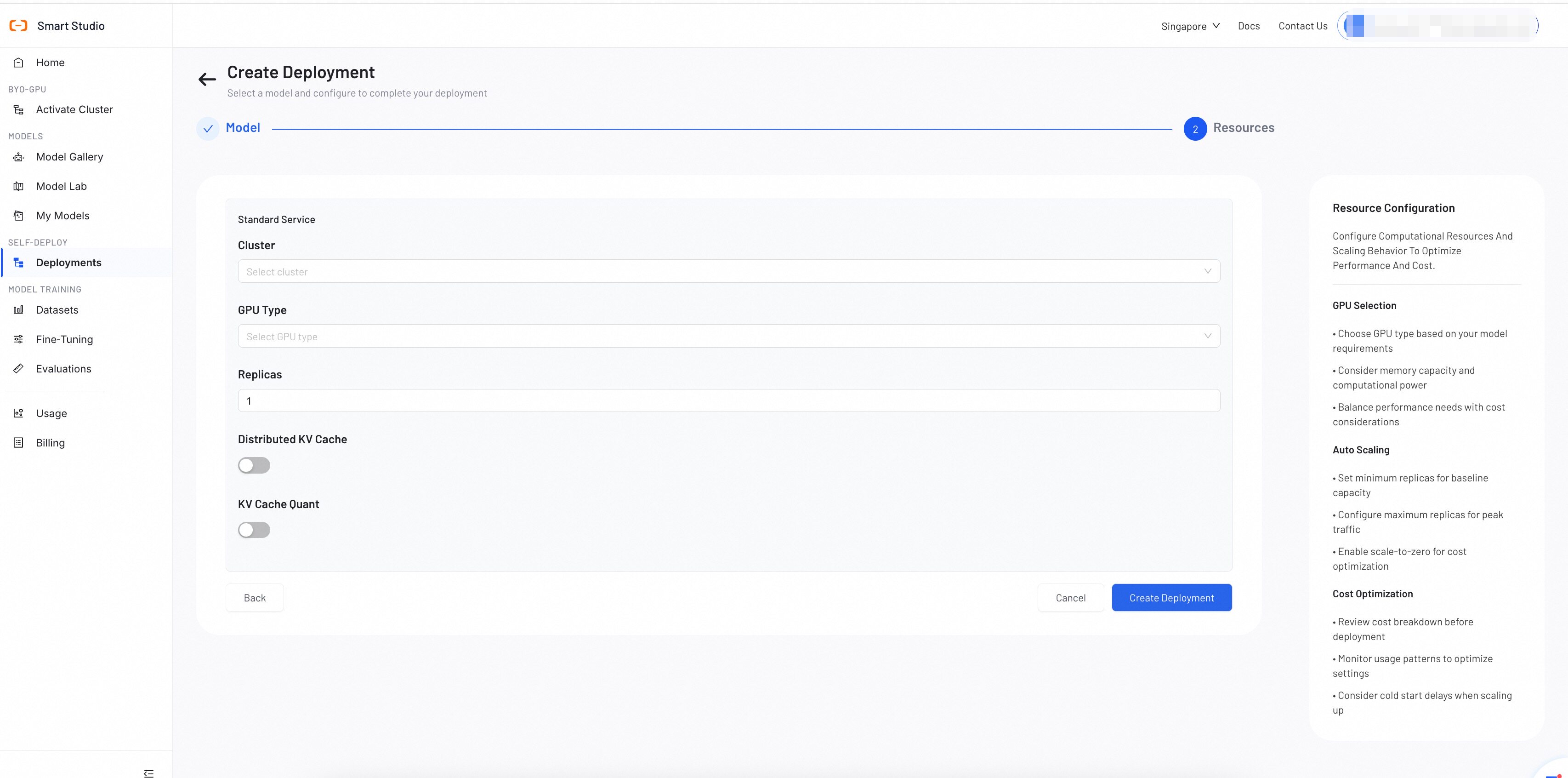
Resource configuration depends on the Service Type selected in Step 1.
Standard Service
Configure a unified inference service on a single cluster.
- Cluster: Select an activated cluster for deployment.
- GPU Type: Select a GPU type available in your cluster. See Minimum Configuration for Different Model Deployments for requirements.
- Replicas: Number of service replicas for load balancing. Default is 1.
- Distributed KV Cache: (Optional) Enable to share KV cache across instances.
- KV Cache Quant: (Optional) Enable KV cache quantization to reduce memory usage.
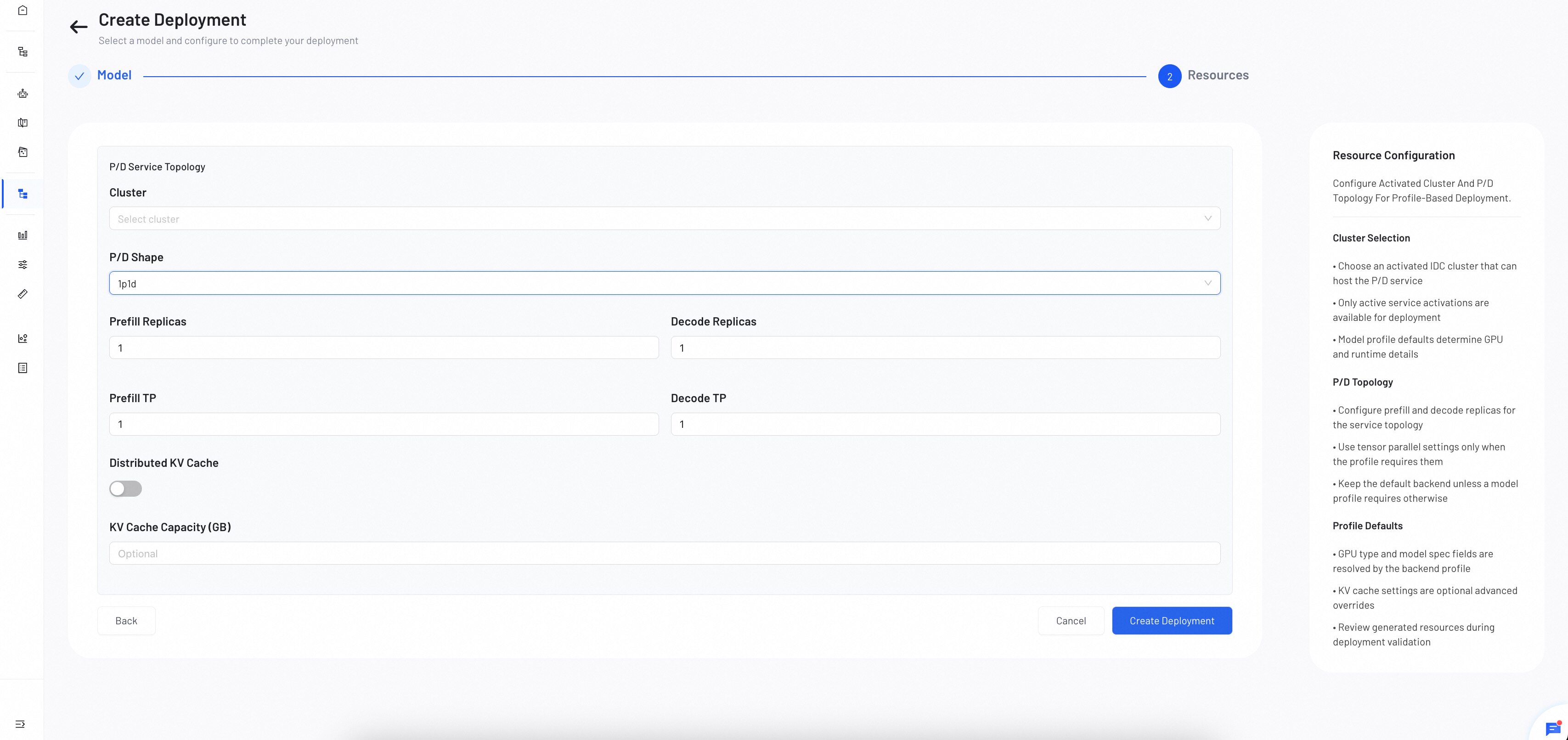
P/D Disaggregated Service
Configure separate prefill and decode services for optimized resource allocation.
- Cluster: Select an activated cluster for deployment.
- P/D Shape: Define the ratio of prefill and decode instances (e.g.
1p1d= 1 Prefill + 1 Decode). - Prefill Replicas / Decode Replicas: Number of replicas for each service. Default is 1.
- Prefill TP / Decode TP: Tensor parallelism degree for each service. Only adjust when the model profile requires it. Default is 1.
- Distributed KV Cache: (Optional) Enable to share KV cache across instances.
- KV Cache Capacity (GB): (Optional) Specify the capacity in GB, or leave empty to use the profile default.
Click Create Deployment to submit your configuration.
Shares cached key-value states across instances to reduce redundant computation. Enable when multiple replicas serve overlapping context (e.g. shared system prompts). Leave disabled if requests rarely share context or GPU memory is constrained.
Verify the Deployment
After submission, Smart Studio returns to the Deployments list.
- Confirm the new deployment appears with the expected model and display name.
- Wait while the state progresses through resource preparation and deployment.
- When the deployment reaches Ready, open its details and confirm the selected cluster, topology, and resource configuration.
- Return to GPU Observability and confirm the service appears under Model Serving.
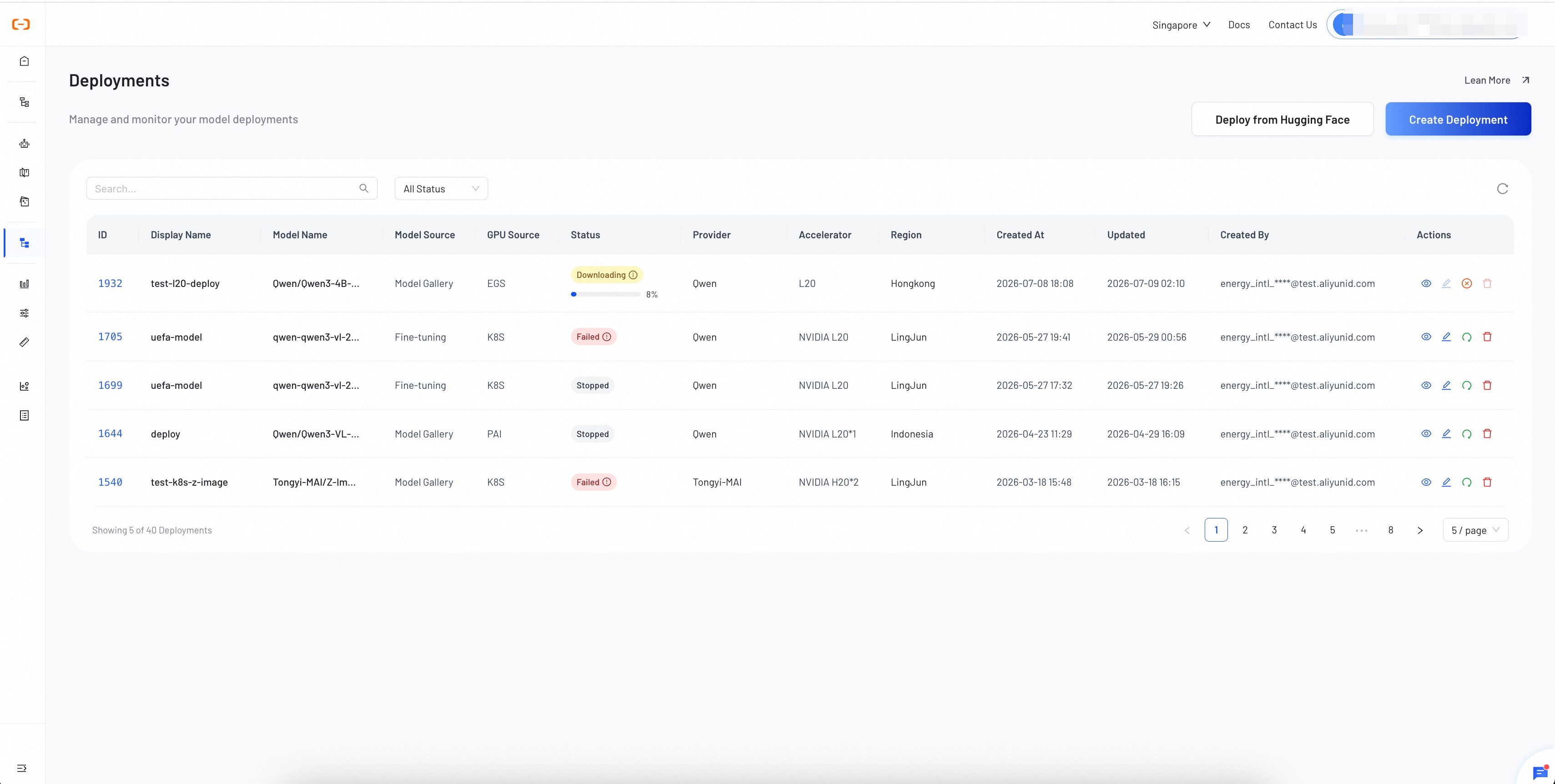
If the deployment becomes Failed, inspect its error message and use Manage Deployments to decide whether to restart it or correct the configuration.
Troubleshooting
No cluster is available
Return to Activate Cluster and confirm that an activation shows Activated. Then check GPU Observability for the expected capacity.
The selected GPU type is unavailable
Compare the model requirement with the GPU types reported by GPU Observability. Choose a compatible activated cluster or revise the deployment plan.
The deployment reaches Failed
Open the status error in Deployments. Correct the model or resource configuration when the error identifies a configuration problem; otherwise use the supported restart action described in Manage Deployments.