Router Quickstart
Access any model through a single, unified API.
Step 1: Configure Provider API Keys
Add API keys from your AI providers to access their models through our unified API.
Configure Provider Keys
Recommended Providers


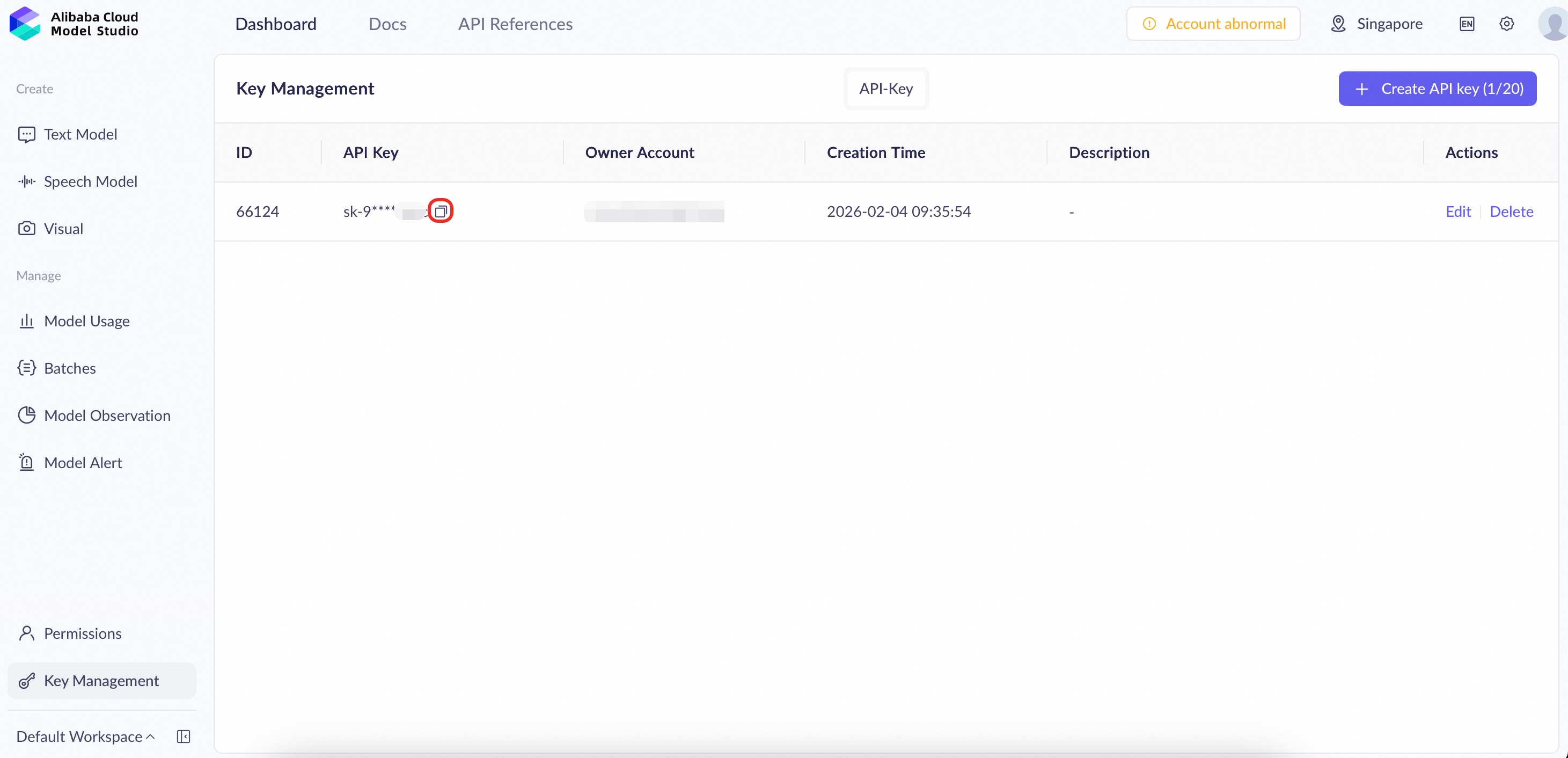
Where Is The Key
Locate your key in the list and click "Copy".
Important: Store your API-KEY in a safe place. For security reasons, never expose it in public environments or shared documents.
Note: For more details on Model Studio API key options, visit Model Studio API References.
- Use your own API keys for direct billing.
- Access the latest models and features.
- Get better rate limits and pricing control.
- Integrate seamlessly with multiple providers.
Step 2: Create a Unified API Key
Generate a single API key to access all connected providers through our unified API.
Create Your API Key
1. Go to the Secrets Page
Your API keys are managed on the "Secrets" page within your account settings.
2. Generate a New API Key
Click "Create new key" and configure it with the appropriate scopes and limits.
For detailed API key configuration options (usage limits, IP whitelist, expiration), see Unified API.
3. Save Your API Key Securely
Important: For security reasons, your API key will only be shown once. Copy it now and store it in a safe place.
Step 3: Call the Unified API
Send requests via the unified endpoint to access multiple AI providers through a single API.
API Configuration
Base URL
https://rpgateway.console.alibabacloud.com/v1
Authentication
Authorization: Bearer YOUR_API_KEY
Example Request
from openai import OpenAI

client = OpenAI(
    api_key='<API_KEY>',
    base_url="https://rpgateway.console.alibabacloud.com/v1"
)

response = client.chat.completions.create(
    model="@dashscope-intl/qwen-plus",
    messages=[
        {"role": "system", "content": "You are a helpful assistant."},
        { "role": "user", "content":"Hello! Who are you?"}
    ],
    temperature=0.7,
    max_tokens=150
)
Supported Models
- google/gemini-3-pro-preview
- anthropic/claude-opus-4.5
- openai/gpt-5
- x-ai/grok-4
- qwen-vl-max
- qwen3-max
- qwen3-coder-plus
- qwen3-next-80b-a3b-instruct
Step 4: Monitor & Alerts
Proactively track usage, costs, and performance. Set up alerts to catch potential issues before they escalate.
Usage Analytics
Monitor your API usage, track costs, and analyze performance metrics in real-time.
View Usage Dashboard > | View Billings >
Message Monitor
View message to get the alerts or error reasons.
Next Steps
Find the perfect model for your use case by testing different configurations in our interactive playground.