Billing
Use Billing to review charges for Smart Studio services. The page has two billing types:
- Sharing Billing: the revenue share charged on token and GPU consumption.
- Fixed Amount Fee: the daily charge for Compute Cards running model serving.
For model serving, charges appear in Sharing Billing or Fixed Amount Fee, never in both.
Before you begin
- Your account needs the Billing permission.
- Billing records may appear after the underlying usage.
Sharing Billing
The Sharing Billing tab lists revenue generated through the platform, with the revenue share charged to your account.
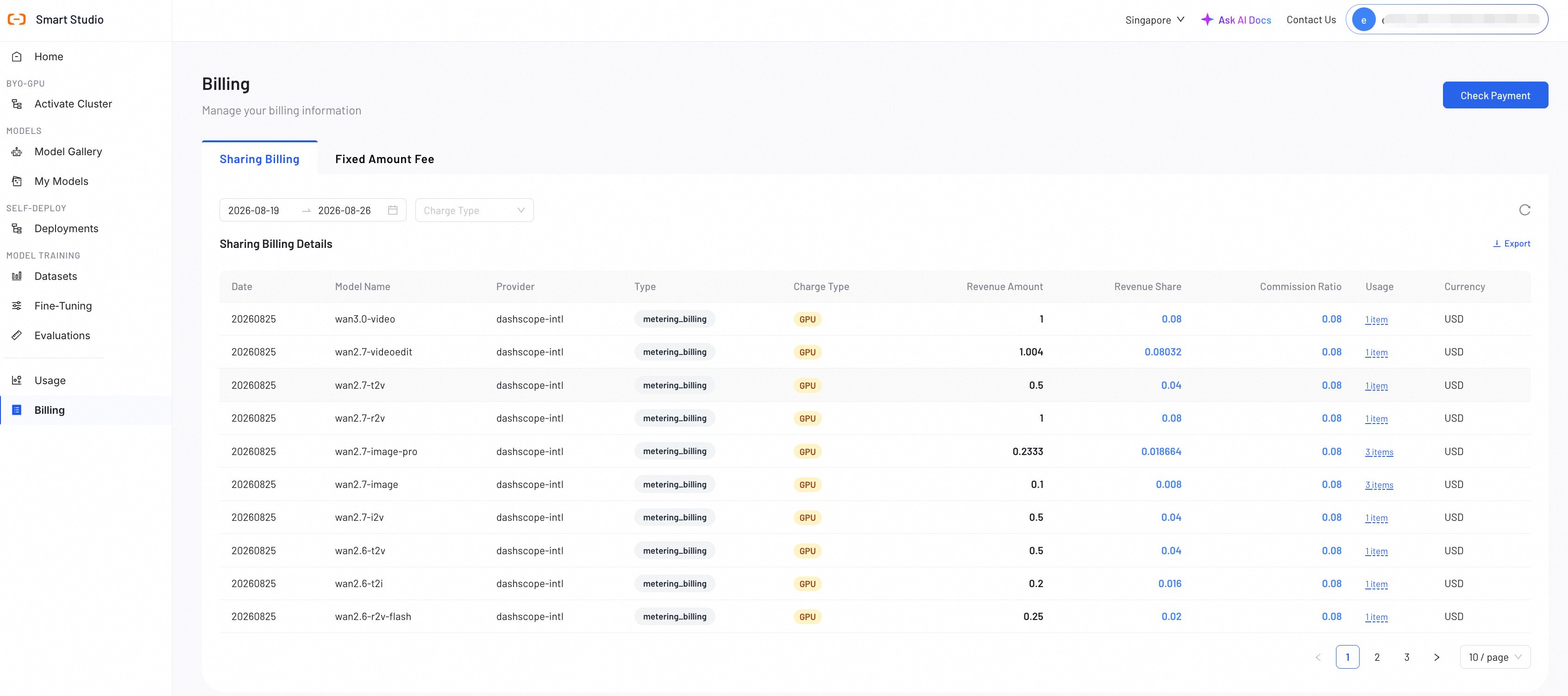
Read the table
| Field | Meaning |
|---|---|
| Date | Statistics date for the record. |
| Model Name | Model that generated the revenue. |
| Provider | Upstream provider of the model. |
| Type | Business type of the record, as reported by the platform. |
| Charge Type | TOKEN (token sharing) or GPU (GPU-based sharing). |
| Revenue Amount | Total revenue for the record. |
| Revenue Share | Amount charged to your account as the platform share. |
| Commission Ratio | Sharing rate applied to the revenue. |
| Usage | Number of usage items. Hover to see the detailed metering breakdown, such as tokens or requests. |
| Currency | Billing currency. |
Select Export to download the current list as an Excel file named after the selected date range.
Fixed Amount Fee
The Fixed Amount Fee tab lists daily charges for Compute Cards running model serving under a fixed-amount (Option B) agreement. Each row is one GPU instance billed by card type and hour.
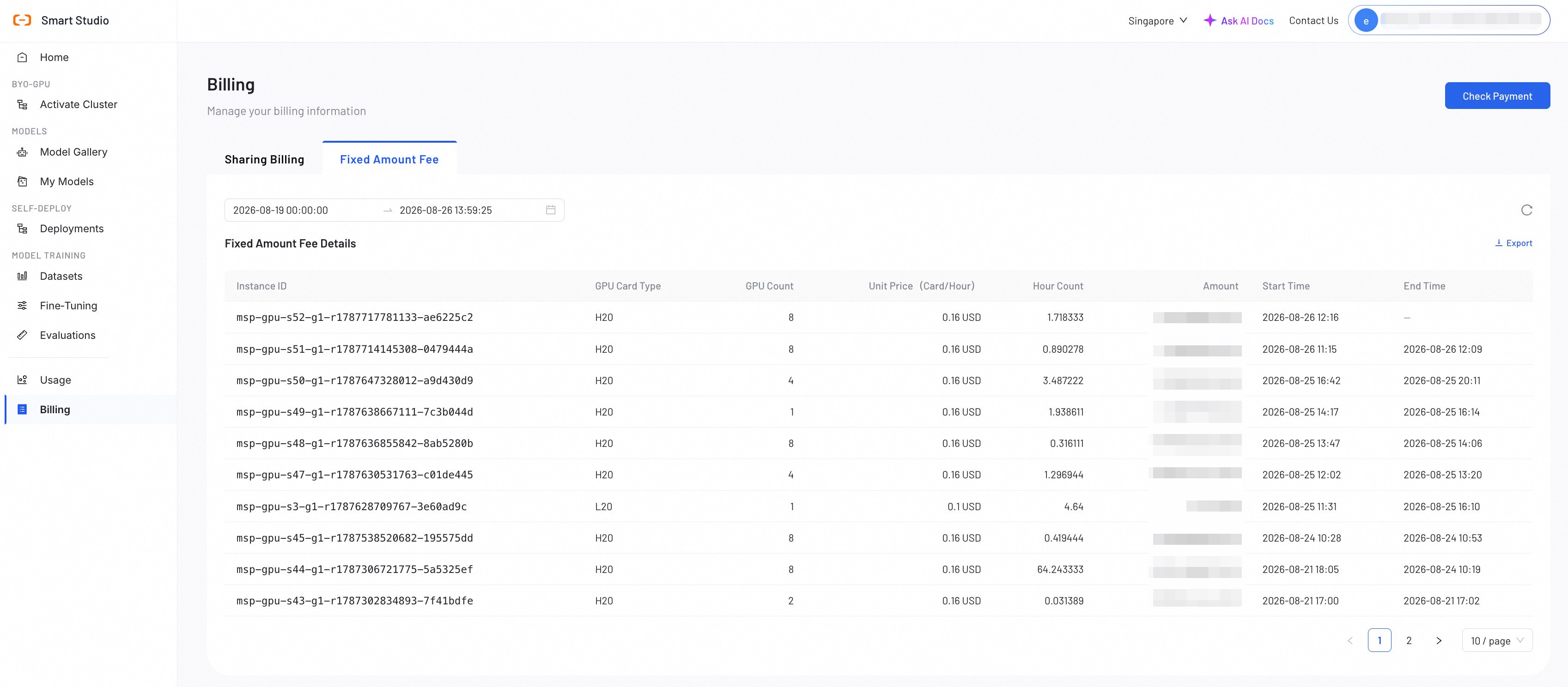
| Field | Meaning |
|---|---|
| Instance ID | Identifier of the billed GPU instance. |
| GPU Card Type | Compute Card specification used for pricing. |
| GPU Count | Number of Compute Cards in the instance. |
| Unit Price (Card/Hour) | Price applied per Compute Card hour. |
| Hour Count | Billed hours for the record. |
| Amount | Total charge for the record. |
| Start Time | Start of the billing period. |
| End Time | End of the billing period. An empty end time means the instance is still running and the record is still open. |
Use the date range picker to change the period, and select Export to download the records as an Excel file.
Fixed-amount and minimum-guarantee charges stop on T+1 after you deactivate the service. See Activate Cluster.
Investigate an unexpected charge
- Record the date, model, provider, charge type, and amount of the entry.
- For TOKEN records, open Usage and find the corresponding request activity.
- For GPU records, check the serving workload in Manage Deployments and cluster activity in GPU Observability.
- For Fixed Amount Fee records, compare the billed hours with the activation and deactivation times of the cluster.
- If you still cannot reconcile the records, contact support with the billing entry identifiers and time period.