Access Management
Access Management lets you control user permissions and resource access. You can manage users, create custom roles, and configure function and data permissions.
First-time Setup
To set up user access for the first time, follow these steps in order:
- Create a role - Define permissions and access levels
- Add users - Invite users to the platform
- Assign roles - Grant users the appropriate role
Users
User List
View and manage all users in the platform. Administrators can add, edit, or remove users and assign roles at any time.

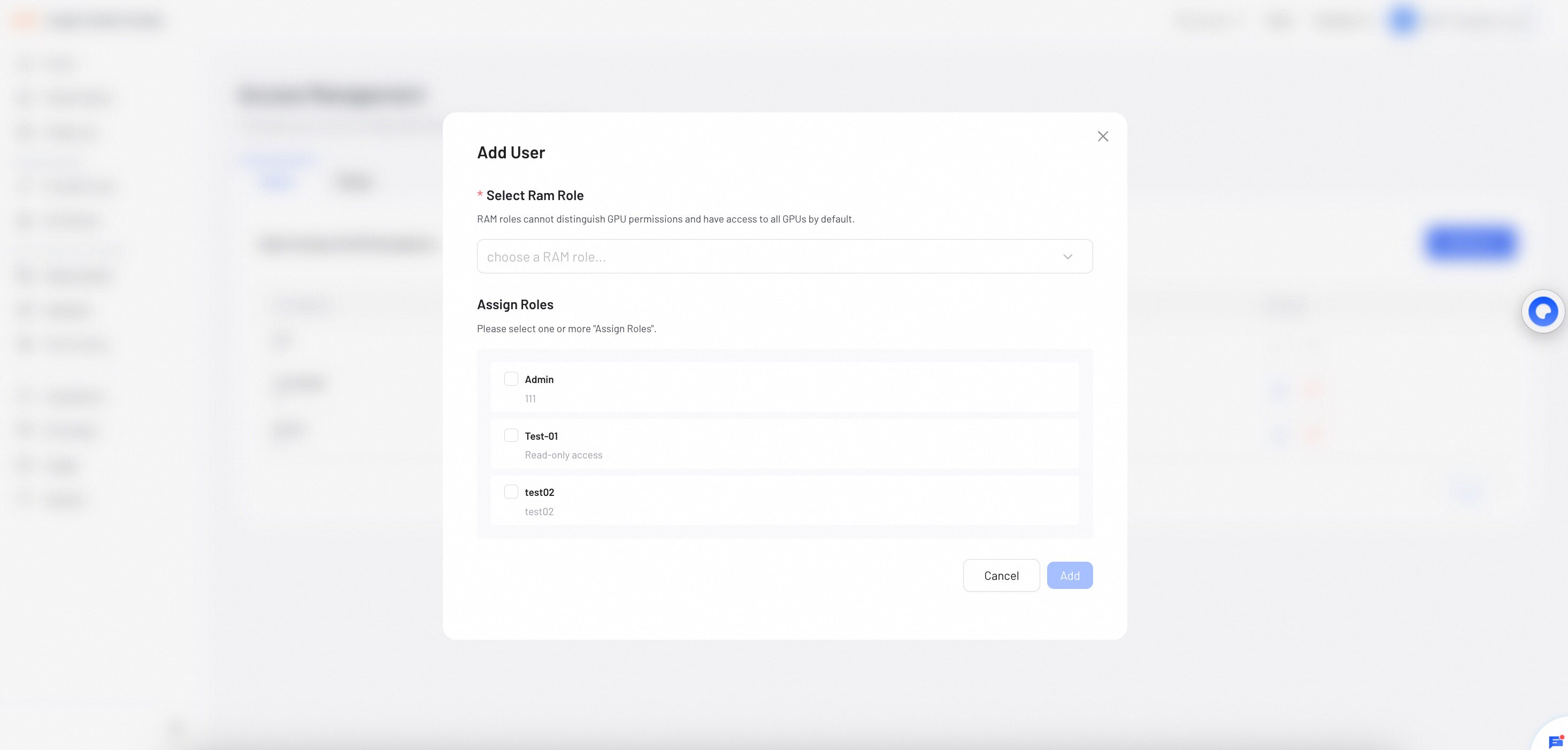
Add a user
- Click Add User.
- Select an Alibaba Cloud RAM Role from the dropdown menu. RAM roles cannot distinguish GPU permissions and have access to all GPUs by default.
- Select a role from the dropdown menu. You can select one or more roles.
Roles
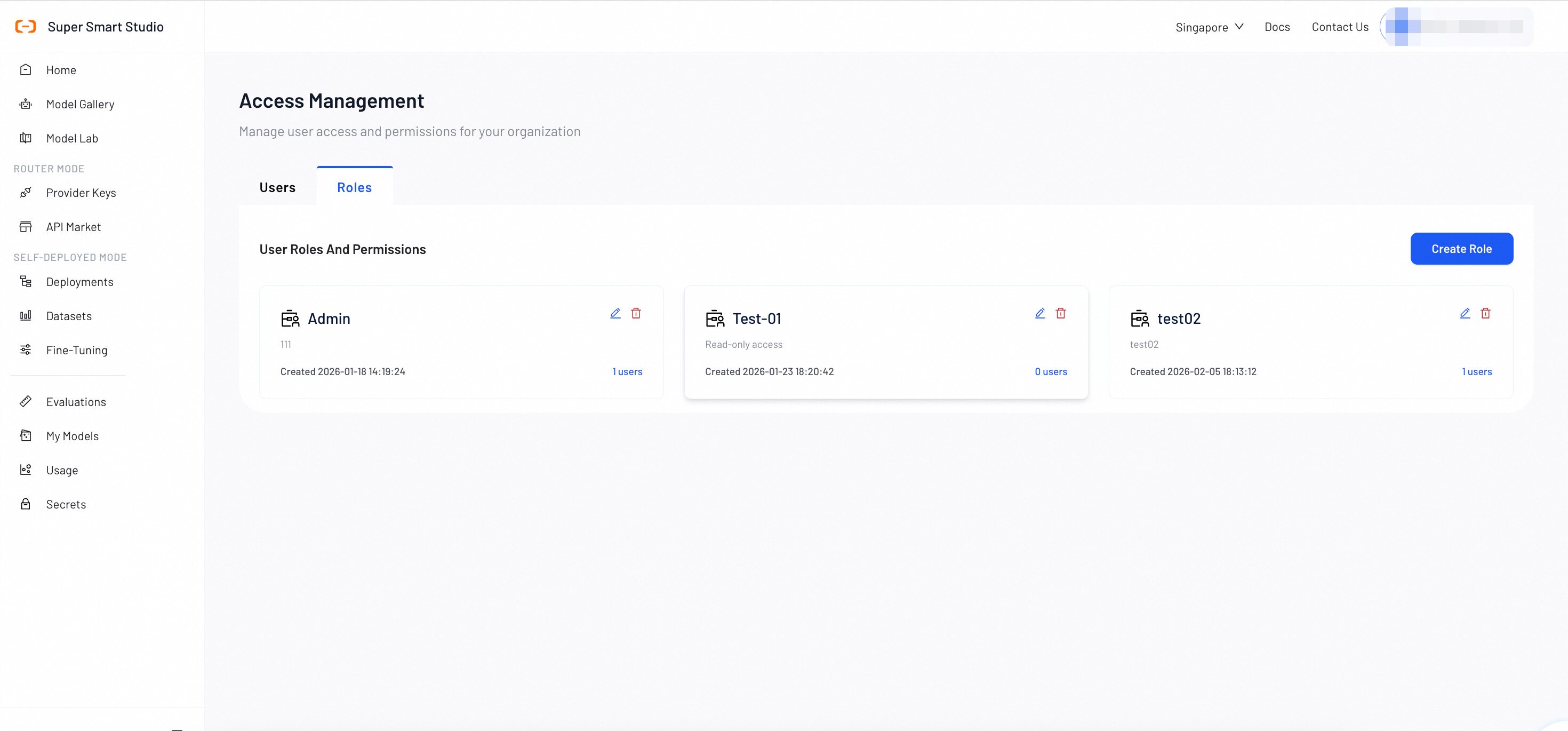
Role List
View and manage all custom roles in the platform. Administrators can create, edit, or delete roles and configure permissions at any time.
Create a role
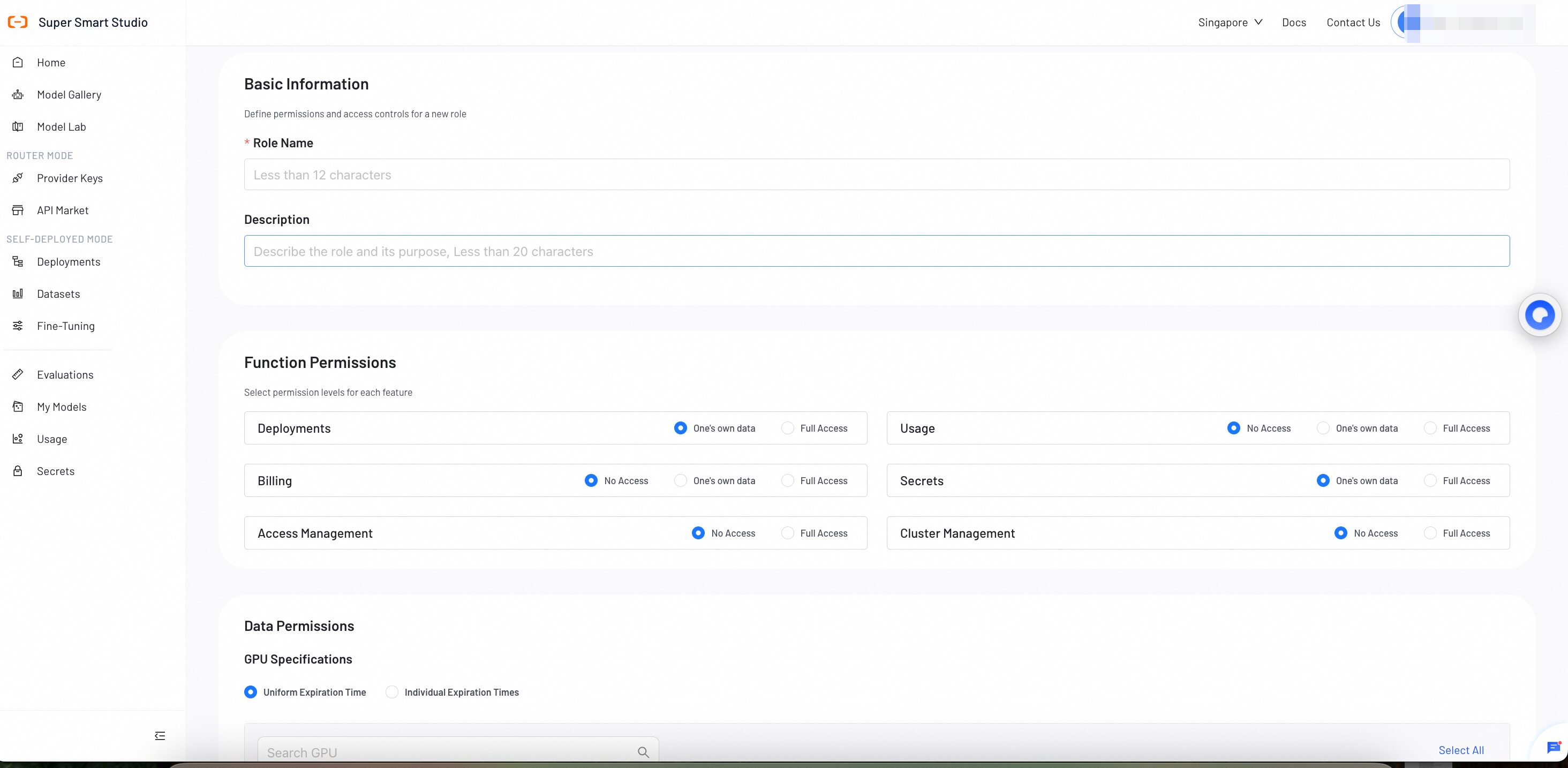
Create and configure custom roles by specifying permissions.
Role information
Provide the following details:
- Role Name: The name of the role.
- Description: A description of the role's purpose and permissions.
Function Permissions
Control access to platform features:
| Feature | Permission Levels |
|---|---|
| Deployments | One's own data, Full Access |
| Usage | No Access, One's own data, Full Access |
| Billing | No Access, One's own data, Full Access |
| Secrets | One's own data, Full Access |
| Access Management | No Access, Full Access |
| Cluster Management | No Access, Full Access |
Data Permissions
Configure GPU resource access and expiration settings:
- GPU Spec: Choose how to set expiration times:
- Uniform Expiration Time: Apply the same expiration time to all GPU resources.
- Individual Expiration Times: Set different expiration times for each GPU resource.