Cluster Management
Manage your private cluster and sync resources between the public cloud and your cluster.
This is a value-added feature that needs to be paid for additionally. Contact us to enable access.
Typical Workflow
- Register Cluster - Add and configure your Kubernetes cluster
- View Node Details - Check available nodes and resources
- Create Sync Task - Sync models or datasets to your cluster
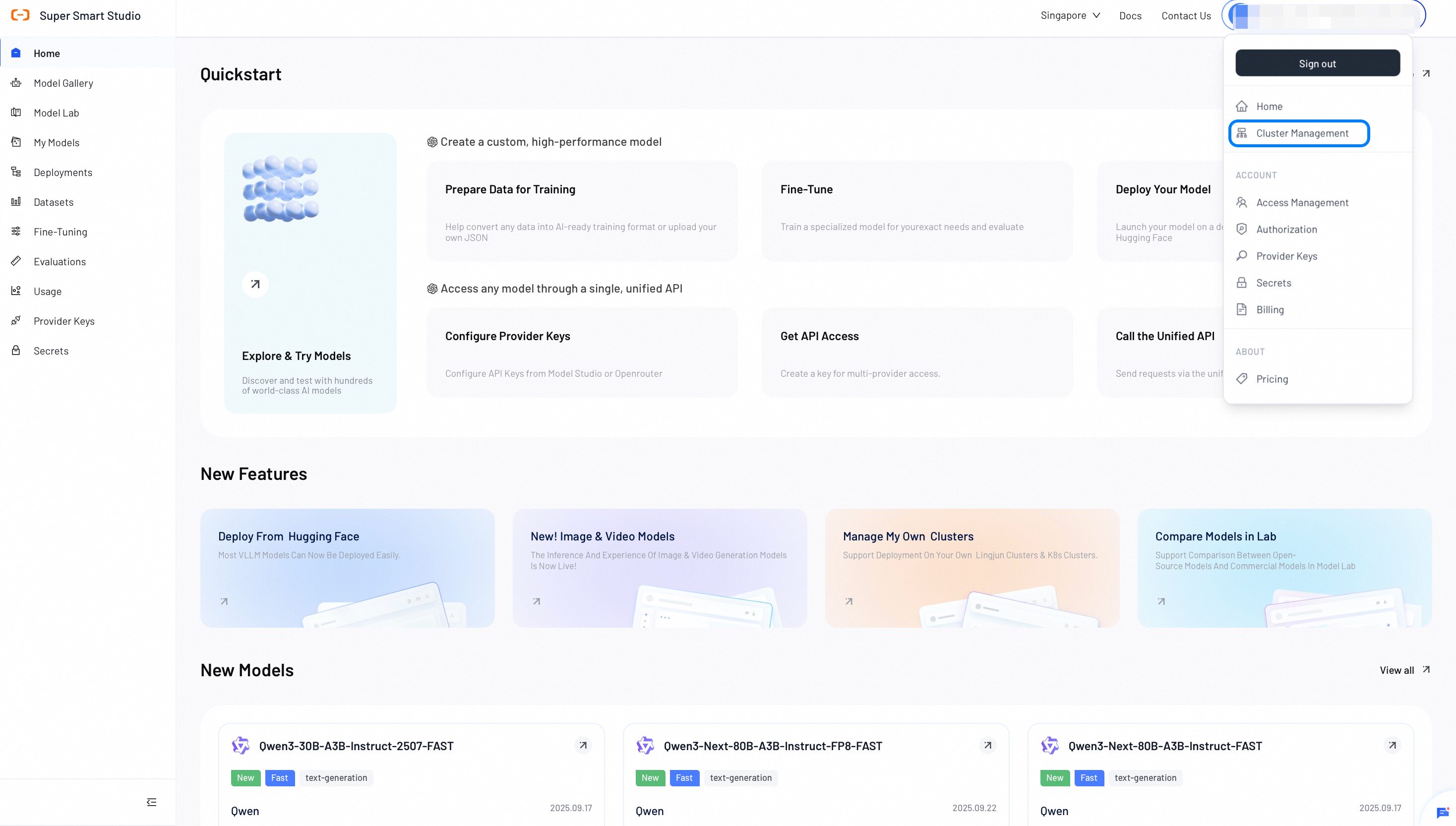
Register Cluster
Add your Kubernetes cluster to Smart Studio.
- Click Register Cluster.
- Enter your Cluster Name and paste your KubeConfig.
- Click Test Connection to validate the configuration.
- Click Register Cluster to complete the setup.

After registering, select a cluster from the list to view details or create sync tasks.
View Cluster Details
View your cluster information, node list, and resource utilization.
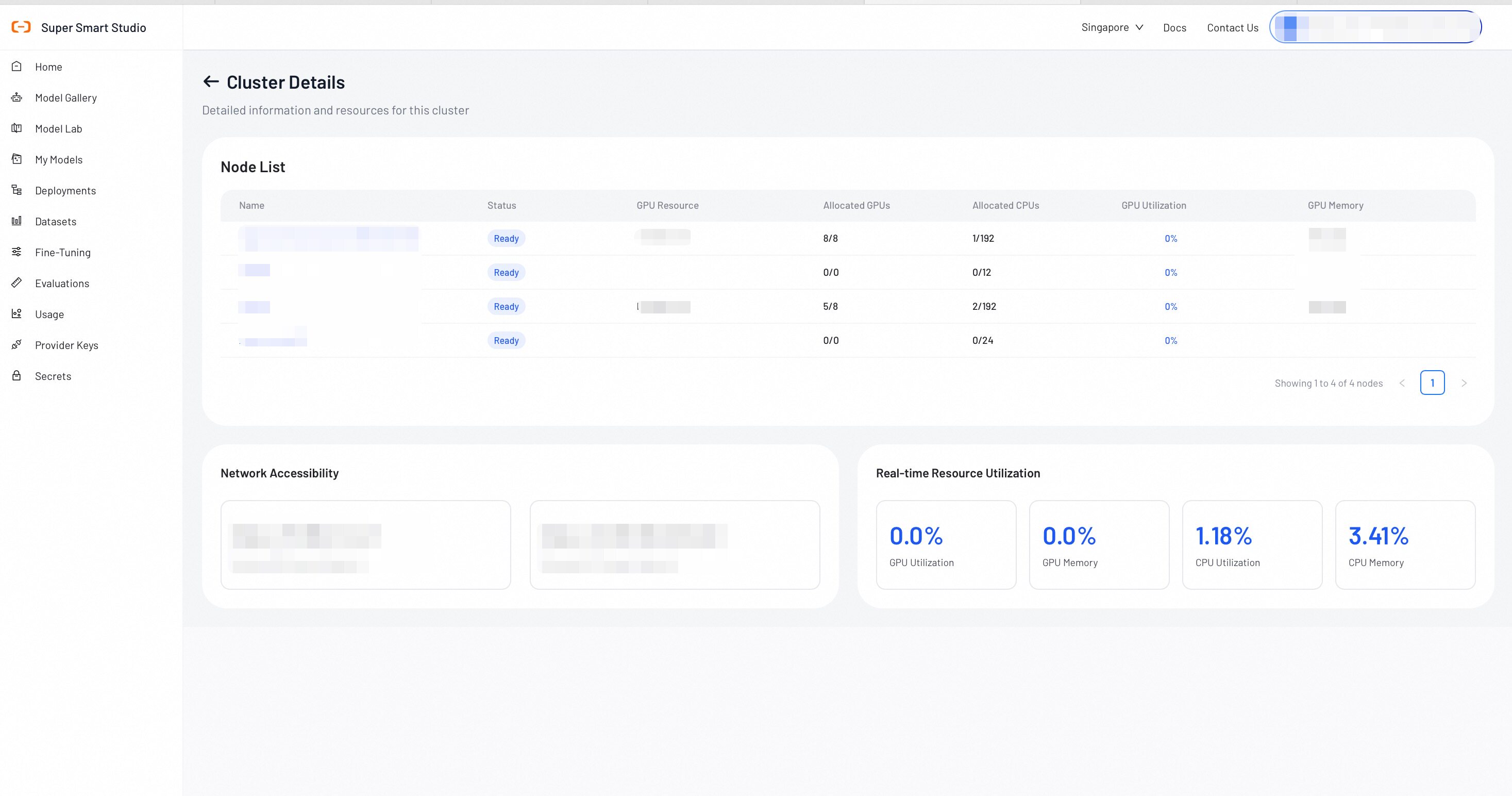
Node List
View all nodes in your Kubernetes cluster.
| Field | Description |
|---|---|
| Name | The name of the Kubernetes node |
| Status | Node status (Ready, NotReady, Unknown) |
| GPU Resource | GPU resource type and capacity |
| Allocated GPUs | Number of GPUs allocated to workloads |
| Allocated CPUs | Number of CPUs allocated to workloads |
| GPU Utilization | Current GPU utilization percentage |
| GPU Memory | GPU memory usage |
Network Accessibility
View the Internal and External API Server Endpoint information for your cluster.
Real-time Resource Utilization
Monitor your cluster's resource usage in real-time:
GPU Utilization, GPU Memory, CPU Utilization, CPU Memory
Create Sync Task
Create sync tasks to transfer models between the public cloud and your cluster.
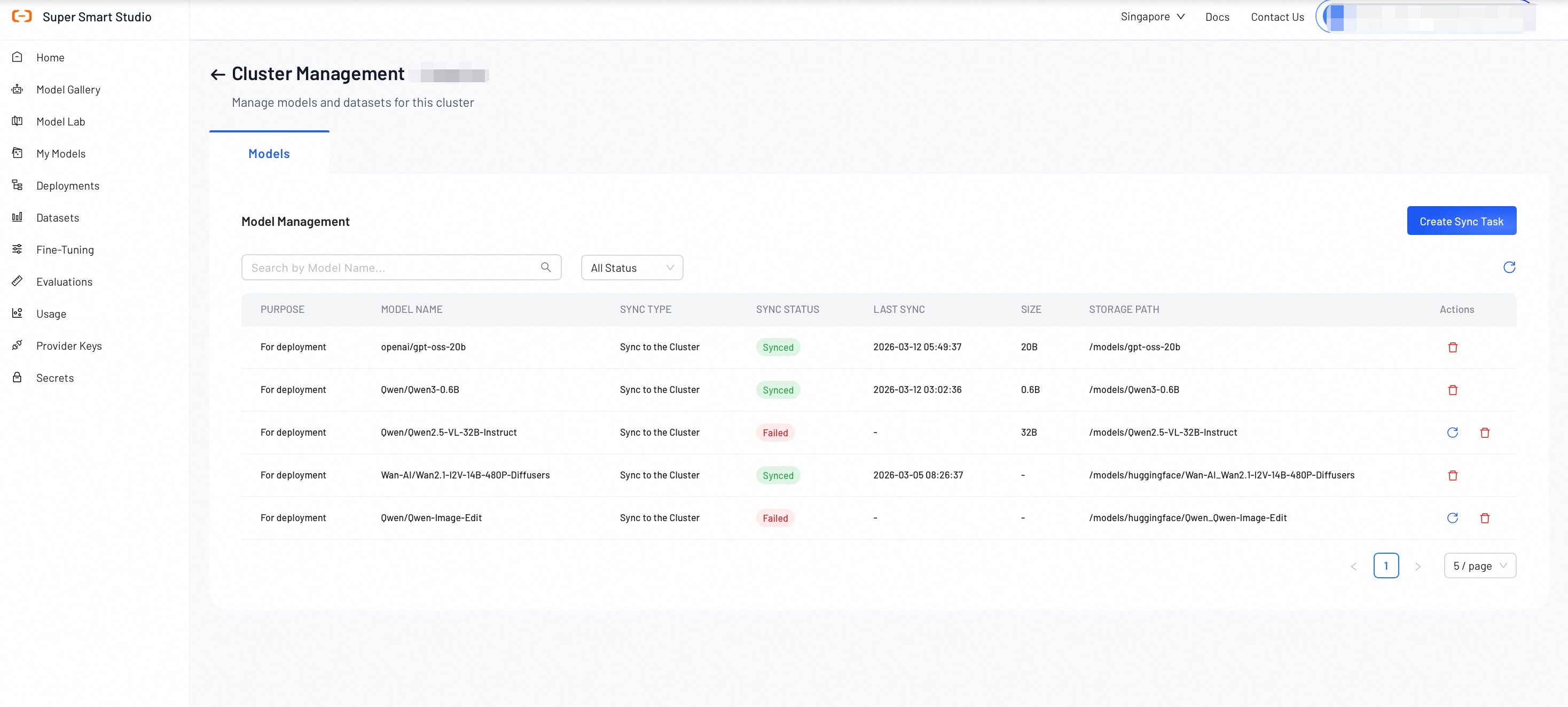
Sync Task Configuration
- Sync Type: Sync to the Cluster
- Purpose: For deployment or For fine-tuning
- Source Model: Select the model to sync from the public cloud
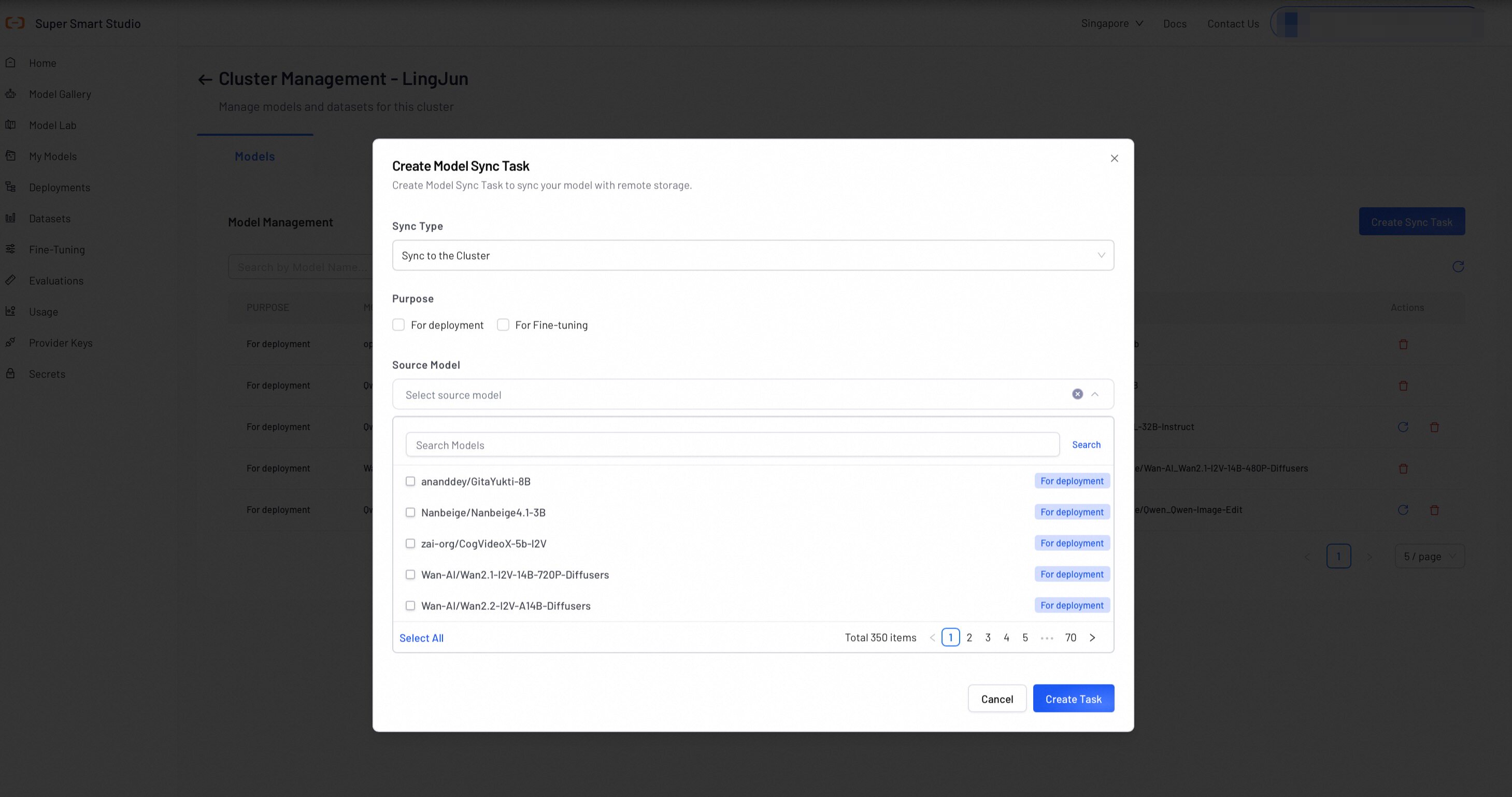
Models Sync List
After creating sync tasks, track their progress in the Models tab:
| Column | Description |
|---|---|
| Model Name | The name of the synced model |
| SIZE | Total size of the model files |
| STORAGE PATH | The storage location on your cluster |
| Sync Status | Current sync progress (Syncing, Completed, Failed) |
| Last Sync | Timestamp of the last sync operation |
Datasets Sync List
Track dataset sync tasks in the Datasets tab:
| Column | Description |
|---|---|
| Dataset Name | The name of the synced dataset |
| Size | Total size of the dataset |
| Sync Status | Current sync progress |
| Last Sync | Timestamp of the last sync operation |
Node Details
Select a node from the Node List to view detailed resource information.
GPU Details
View the GPU processes running on a specific node:
| Column | Description |
|---|---|
| Pod Name | The Kubernetes pod using the GPU |
| GPU Utilization | Per-pod GPU utilization percentage |
| GPU Memory | Per-pod GPU memory usage |
Next Steps
Add your API key in Secrets to create a unified API for accessing all Model resources on the platform.
Find the perfect model for your use case by testing different configurations in our interactive playground.