Benchmark Evaluation
Benchmark Evaluation evaluates model performance using official datasets and standardized metrics. This approach delivers precise, quantifiable insights into real-world model capabilities.
Currently, only LLM Benchmark Single evaluation is supported.
Step 1: Configure Basic Settings
Configure the evaluation type, model(s) for your evaluation.
- Display Name: Enter a name for this evaluation task.
- Model Type: Select LLM. (VLM support coming soon)
- Evaluation Method: Choose how to evaluate your model.
- Evaluation Type: Select Single. (Comparative eval coming soon)
- Model: Select an available model from your current workspace.
Evaluation can consume a large number of model tokens. Confirm that the selected model is available and that your account has sufficient balance before proceeding.
Step 2: Select Benchmark Dataset & Metrics
Select a public benchmark dataset to objectively measure model performance against industry standards.
- Choose a Benchmark Dataset Choose from standard benchmarks across multiple domains:
General Knowledge & Reasoning
- MMLU: 57 subjects across STEM, humanities, and social sciences
- HellaSwag: Commonsense reasoning
- DROP: Discrete reasoning and numerical inference
- ARC: Science and world‑knowledge reasoning
- BBH: Hard BIG‑bench subset requiring multi‑step reasoning
Math Reasoning
- GSM8K: Multi‑step elementary math
- MATH: Competition‑level math and formal reasoning
Code Generation
- HumanEval: Functional correctness via unit tests
Multilingual Evaluation
- MGSM: Multilingual GSM8K across 10 languages
- MMMLU: Multilingual MMLU in 14 languages
- Select a Dataset Version Select the Lite version for a faster evaluation or the Full version for complete and accurate results.
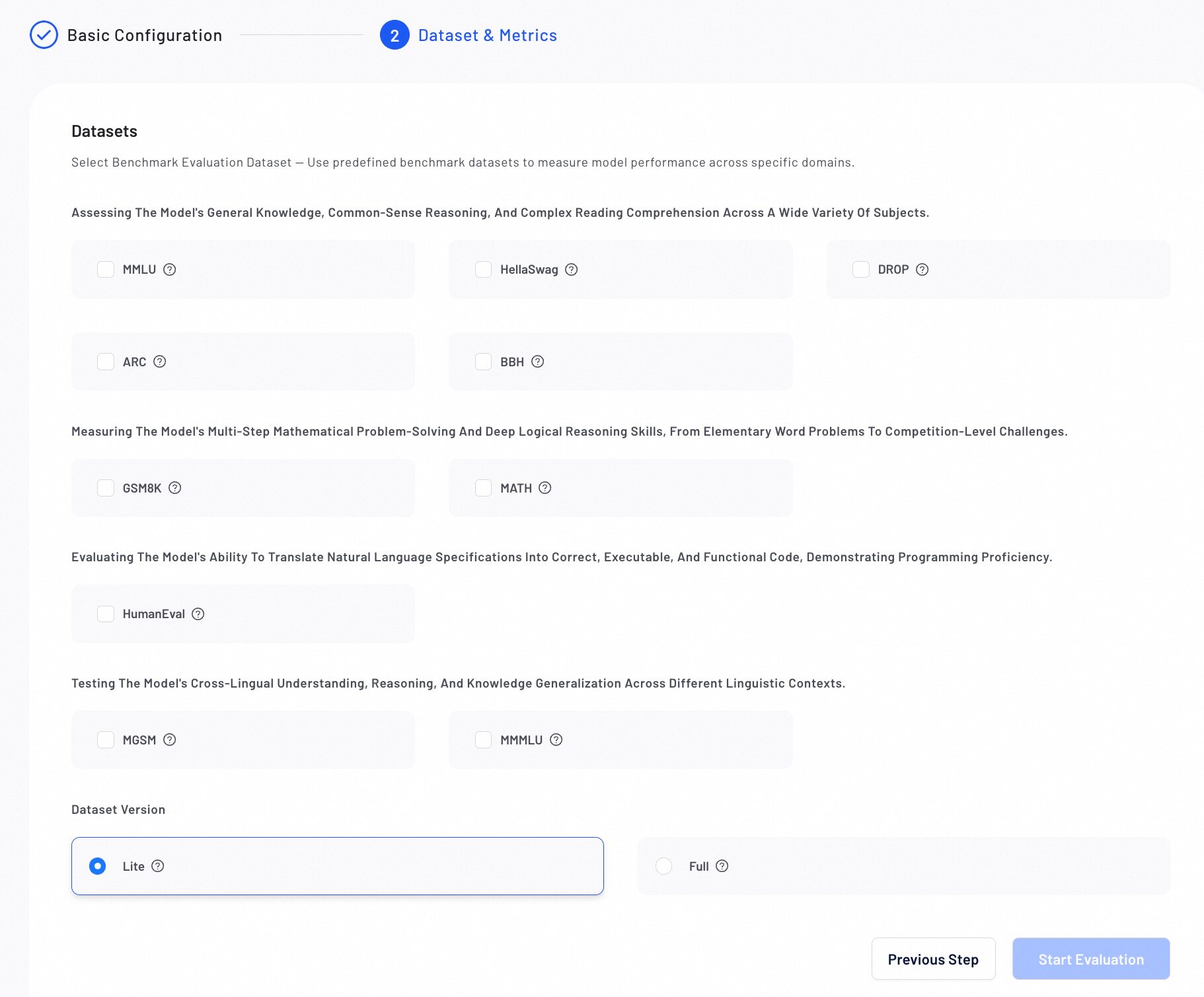
Verify all configurations, then click Start Evaluation. The evaluation progress will display in the list.
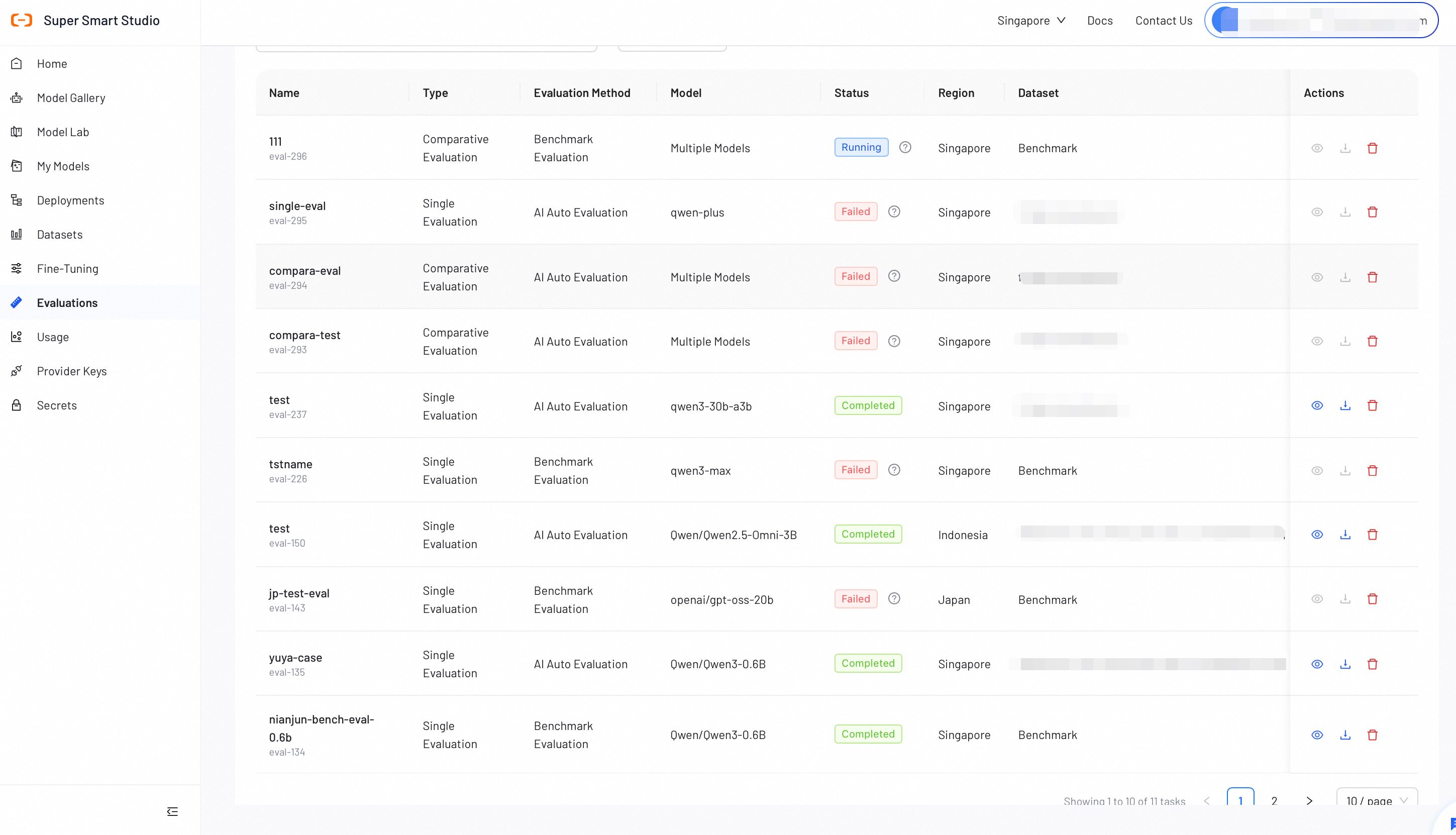
Step 3: View Evaluation Report
After a benchmark evaluation completes, review the detailed report to analyze model performance.
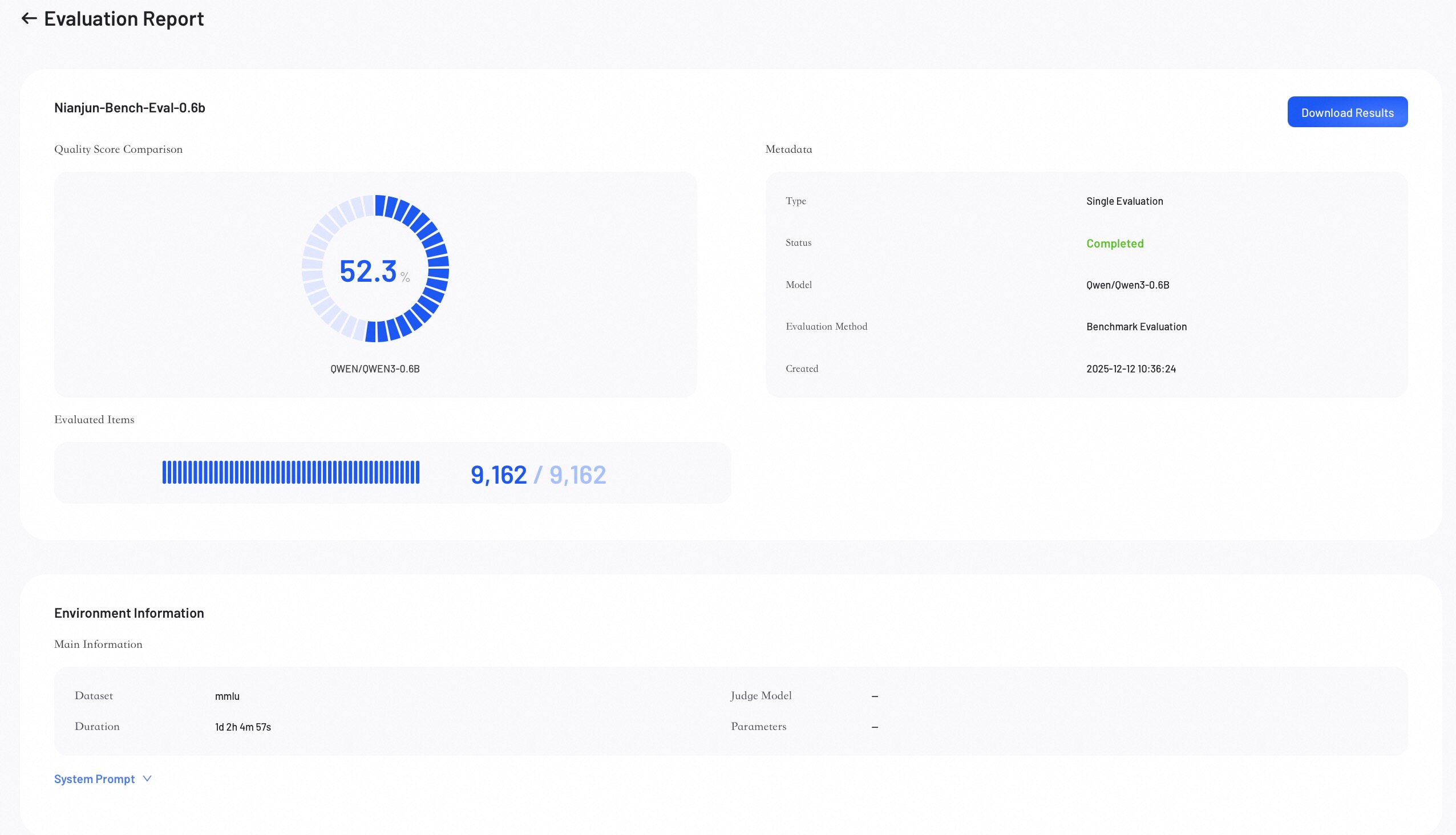
Score Overview
The Score Overview section provides a high-level summary of the evaluation results.
- Quality Score: Represents the model's overall weighted score.
- Evaluated Items: Shows the number of data samples evaluated out of the total.
- Metadata: Lists key information about the job.
- Download Results: Click to download the complete evaluation results.
Performance Metrics
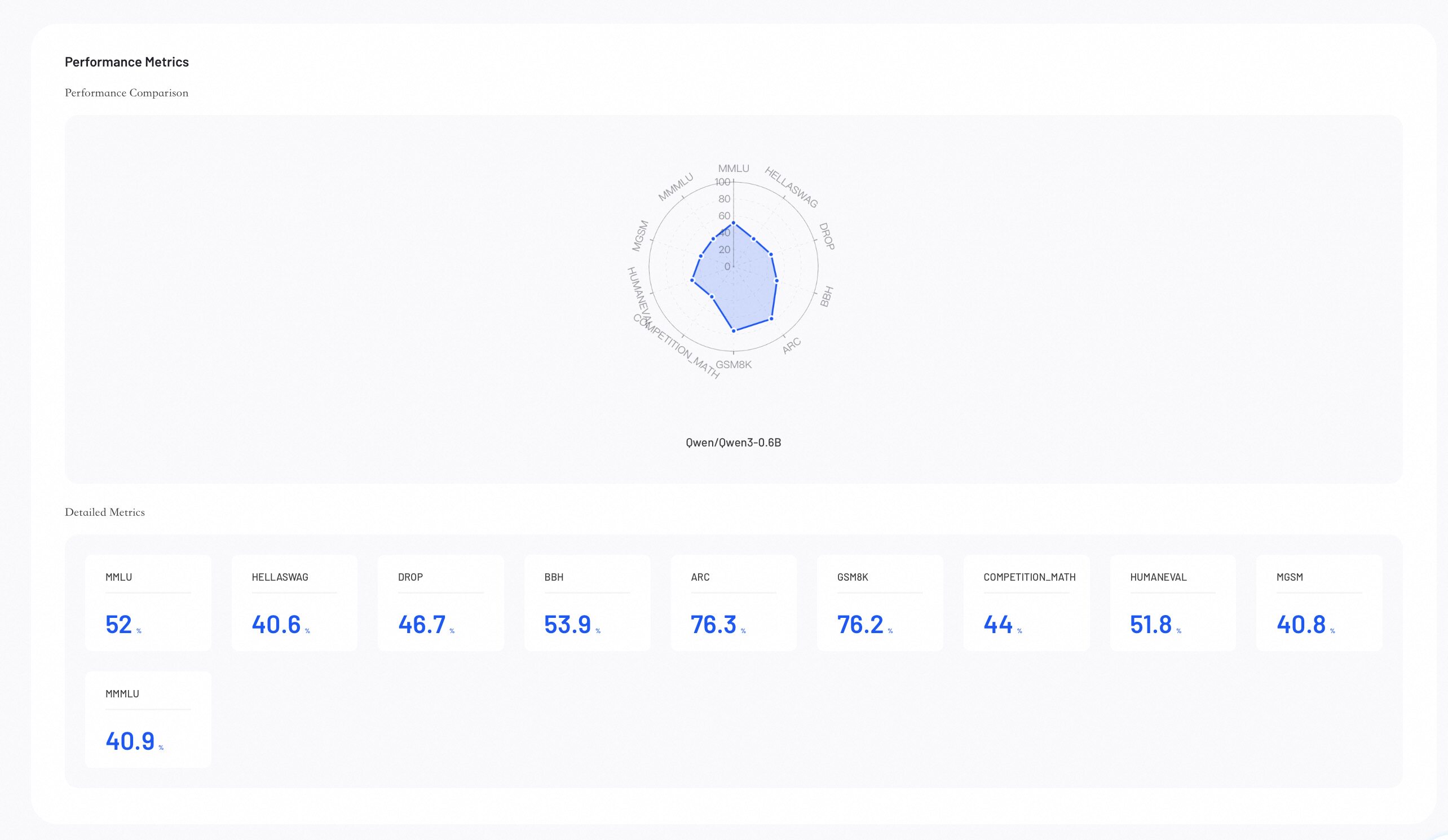
Performance Metrics provides visual insights into your evaluation results, helping you identify where model excels.
-
Performance Comparison: The radar chart compares model capabilities across all configured metrics.
-
Detailed Metrics Comparison: Lists the exact numerical scores for each evaluation metric across all models.
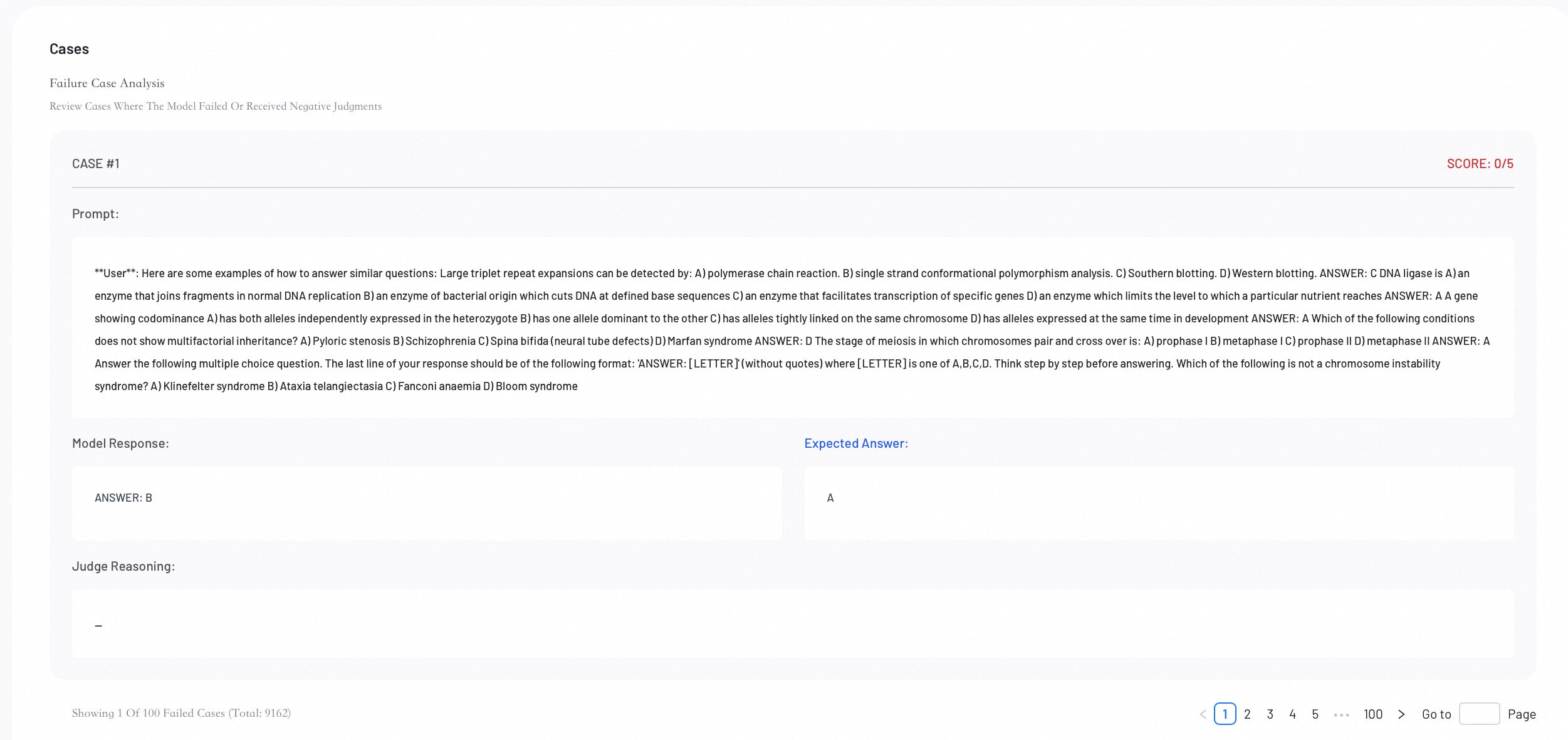
Case Analysis
Review individual evaluation cases to perform error analysis and understand specific model behaviors.
Next Steps
Create or refine datasets to enhance your next training or evaluation run.