Chat Models
Model Lab's Chat Mode lets you explore and compare Large Language Models in one place. Evaluate response quality, adjust parameters, and export your configuration when you're ready.
Test Chat Models
Follow these steps to interact with models or compare outputs:
- Select models: Click Add Models to choose one or more models. Available categories include:
- Model Studio models: Requires API key configuration. See Configure API Keys.
- Your deployed models: All models you have deployed on Smart Studio.
- Configure parameters: In the left panel, select All Models to apply settings globally, or select a specific model to configure it individually. See the Configuration parameters reference below for details.
- Send prompts: Enter your text to start a chat or compare responses side-by-side. For supported models, enable Thinking to activate deep reasoning before sending.
- View Code (Optional): Click View Code to generate API integration scripts based on your current configuration.
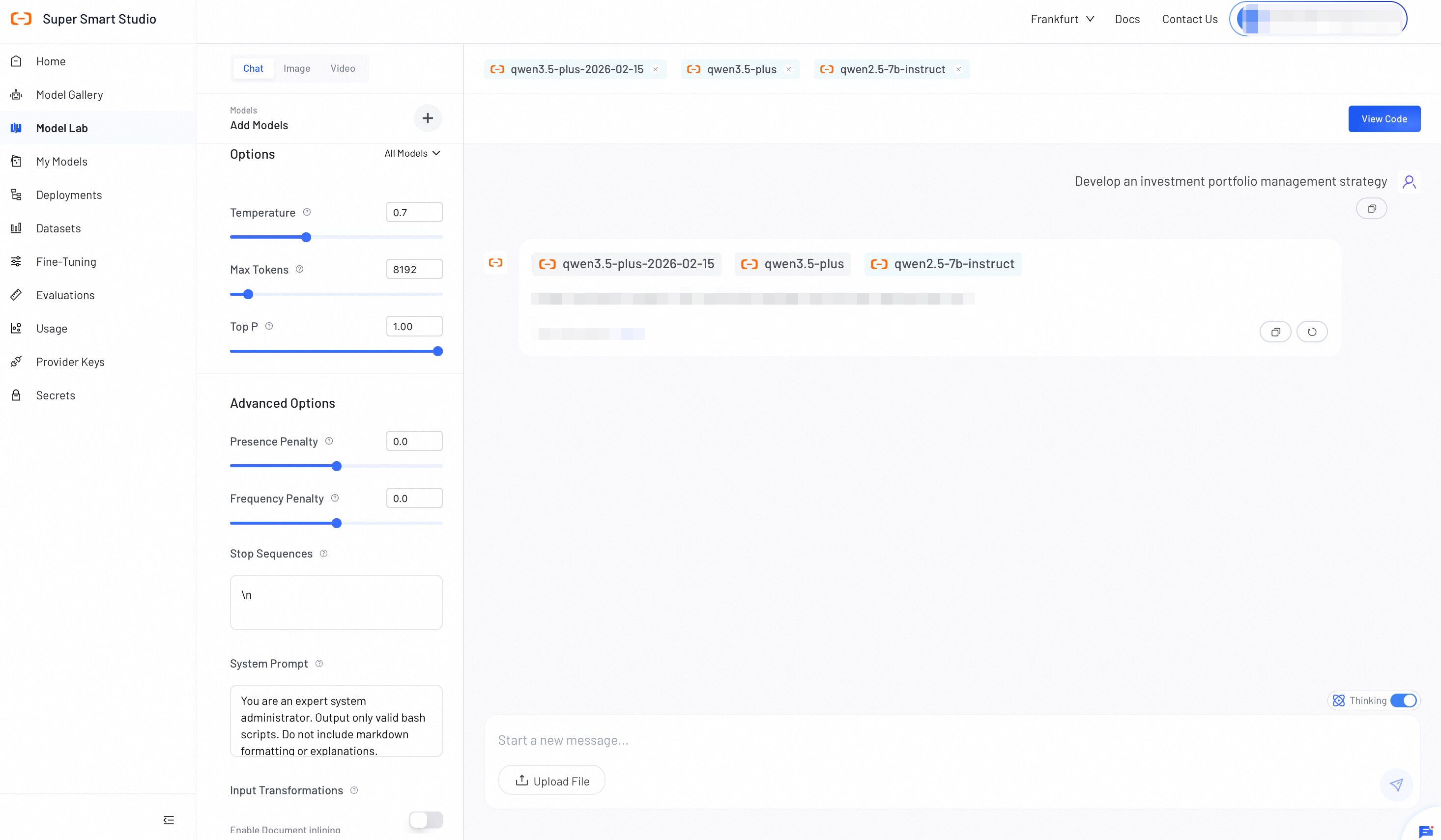
Configure parameters
Adjust the following settings to control model behavior, output formatting, and context processing.
Basic Options
| Option | Description | Tuning Impact |
|---|---|---|
| Temperature | Controls output randomness. | Set a higher value (e.g., 0.8) for more creative and varied outputs. Set a lower value (e.g., 0.2) for more focused and consistent outputs. |
| Max Tokens | Sets the maximum number of tokens the model generates per response. | Use this setting to control response length and manage API costs. The model stops generating at the limit, but output quality before the limit is not affected. |
| Top P | Controls the range of words the model considers when generating a response. | A higher value (e.g., 0.9) allows more variety. A lower value (e.g., 0.3) makes responses more focused and predictable. Note: Adjust Temperature OR Top P, not both. |
Advanced Options
| Option | Description | Tuning Impact |
|---|---|---|
| Presence Penalty | Reduces the chance of the model repeating topics already mentioned in the conversation. | Set a positive value to encourage the model to introduce new topics and ideas. |
| Frequency Penalty | Reduces the chance of the model reusing words or phrases that appear frequently in the response. | Set a positive value to get more varied and natural-sounding outputs. |
| Stop Sequences | Defines specific text strings to halt API generation. | Enter one sequence per line. • Use \n to stop at line breaks.• Use </tag> to close XML outputs. |
| System Prompt | Establishes the core persona, behavior rules, or output formats. | Strongly guides the entire conversation. Example: "Output valid JSON only. Omit markdown formatting." |
| Document inlining | Extracts text from uploaded files and injects the raw text into the prompt context. | Enable to force the model to generate responses based strictly on the uploaded document. Note: Consumes context window tokens. |