Configure Request Routing
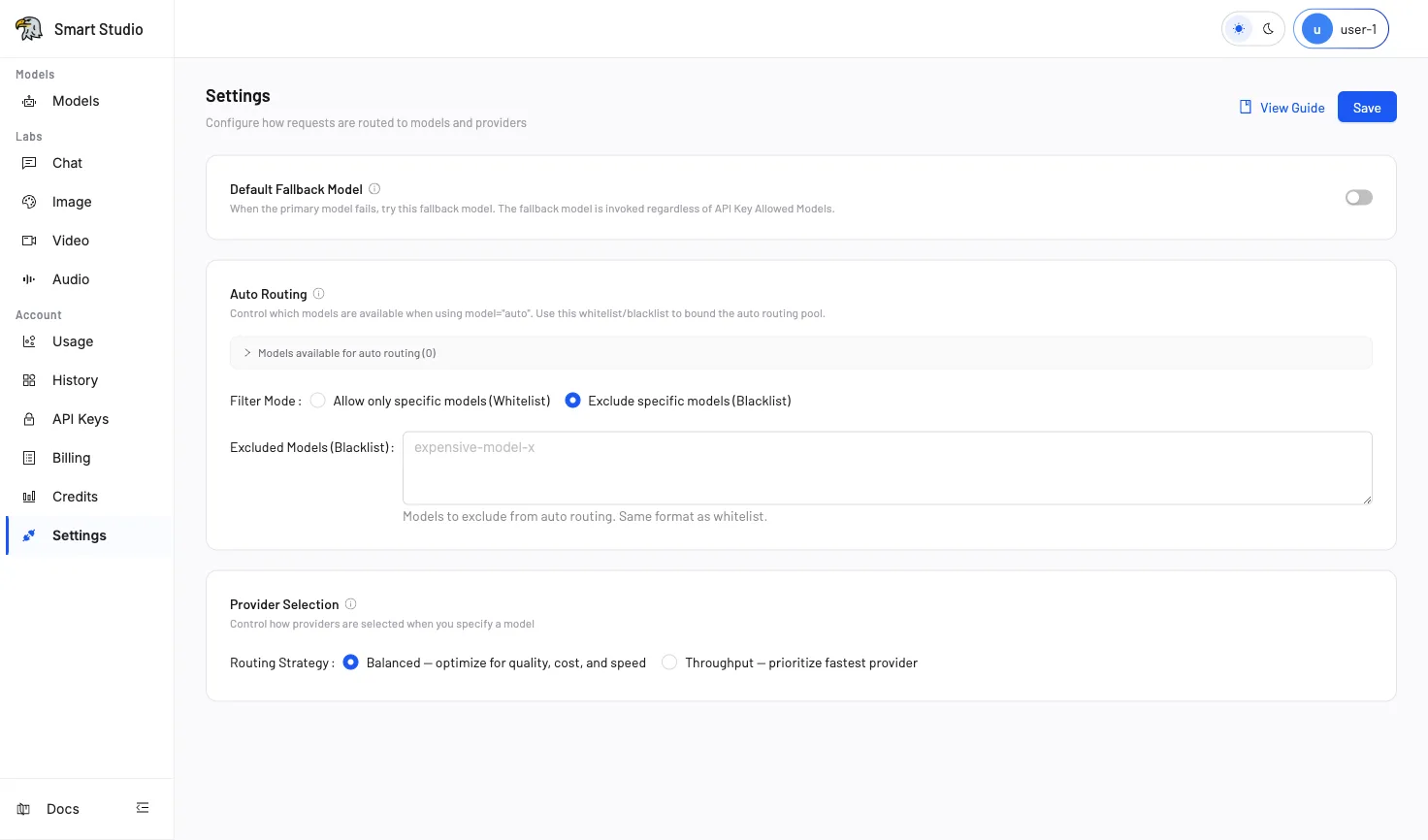
Tenant Settings controls how model requests are routed. The three policies solve different problems and can affect production traffic immediately after you save them.
What You Can Configure
| Policy | What it controls | Use it when |
|---|---|---|
| Auto Routing | Which platform models may be selected when a request sends model="auto" | The application can delegate model choice to Smart Studio |
| Provider Selection | How Smart Studio chooses a provider when the request identifies a model | The same model is available from multiple providers |
| Default Fallback | Which backup model may be tried after all providers for the requested model fail | The application needs cross-model recovery |
Auto Routing chooses a model. Provider Selection chooses a provider for a model. Default Fallback is a recovery path after a direct model request cannot be served.
Before You Change Routing
- Record the current settings and the applications that depend on them.
- Confirm which models and providers are available to the tenant.
- Prepare a controlled request and know where to inspect it in History.
- Confirm that the API key used for an Auto Routing test allows
auto.
Choose Your Path
- Start with Auto Routing when the application sends
model="auto". - Start with Provider Selection when the model ID is fixed but more than one provider can serve it.
- Start with Default Fallback when a direct model request must recover to a different model.
Apply and Verify a Change
- Open Account → Settings (in your deployed Console).
- Change only the policy required by the task.
- Select Save.
- Send the prepared request.
- Inspect History and Usage before applying the policy to production traffic.
Troubleshooting
- If the request is rejected before routing, check API-key model access and account limits.
- If Auto Routing has no candidates, contact an administrator to verify the platform model pool.
- If Provider Selection does not use the expected provider, review the selected strategy and provider availability.
- If fallback does not run, confirm that the request used a direct model rather than
model="auto".
Next Step
Choose Auto Routing, Provider Selection, or Default Fallback, then use History to verify the result.