Configure Provider Selection
A model can be available from more than one provider. Provider Selection controls how Smart Studio ranks those providers after the request identifies a model.
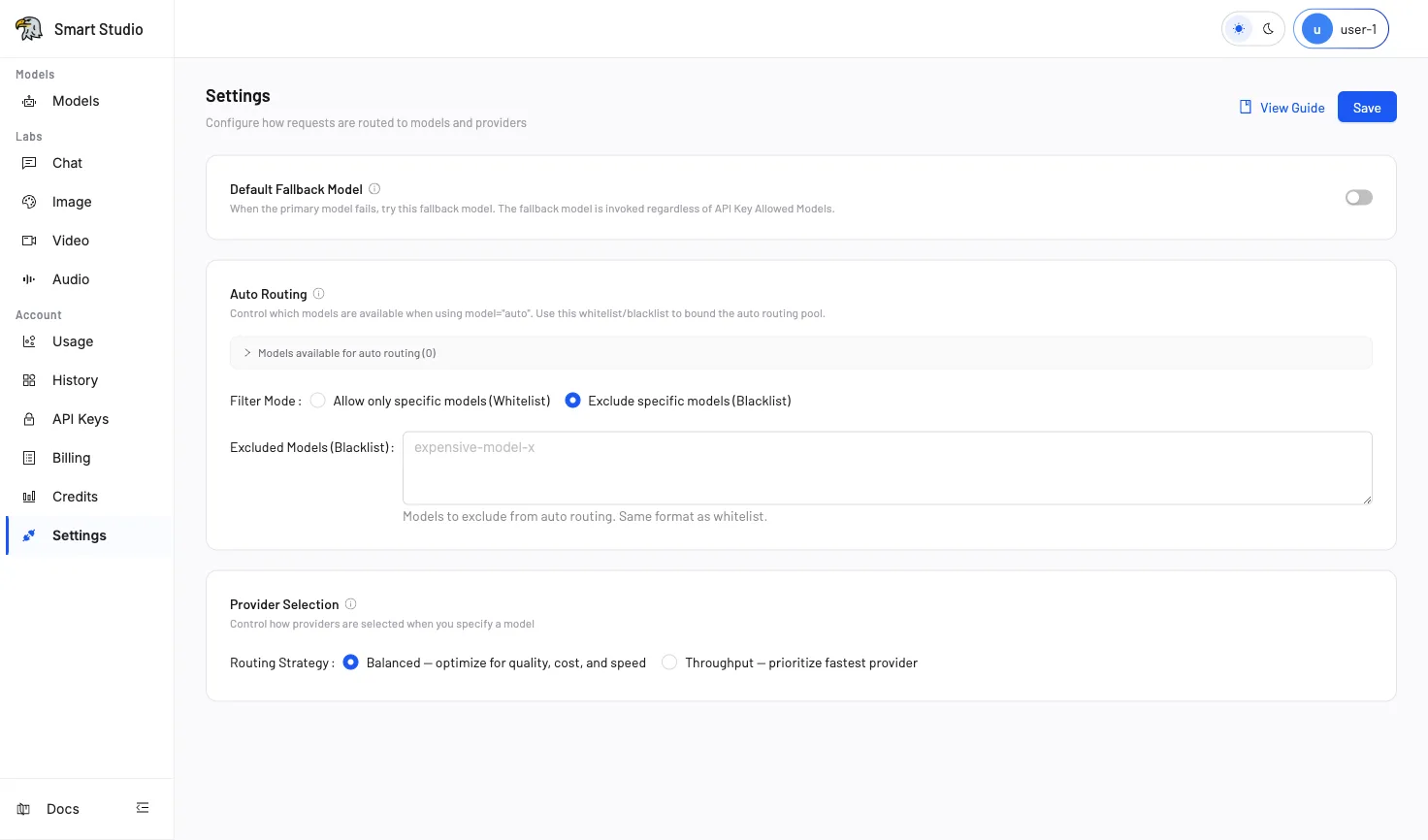
Before You Start
- Confirm that the target model is available from multiple providers.
- Record the current strategy and prepare a controlled request.
- Plan to verify the selected provider in History.
Choose a Strategy
| Strategy | Behavior | Use it when |
|---|---|---|
| Balanced | Balances quality, cost, and speed | General production traffic; this is the default |
| Throughput | Prioritizes the fastest available provider | Response speed and throughput are the primary concern |
Only strategies currently displayed in Tenant Settings are documented here.
Configure the Strategy
- Open Account → Settings (in your deployed Console).
- In Provider Selection, choose Balanced or Throughput.
- Select Save.
- Send the prepared request with a specific model ID.
Provider Selection also applies after Auto Routing has selected a model.
Verify the Result
- Confirm that the request succeeds.
- Open History.
- Inspect the provider and request timing.
- Repeat with controlled traffic before changing a production policy.
Troubleshooting
- If only one provider is healthy, the strategy cannot select an alternative.
- If the request fails before routing, check API-key access, credits, and request format.
- Throughput prioritizes provider speed; it does not guarantee that every request uses the same provider.
- Use the request trace information when asking an administrator to investigate provider health.
Next Step
Use Auto Routing to delegate model selection, or Default Fallback to configure cross-model recovery.