Configure Default Fallback
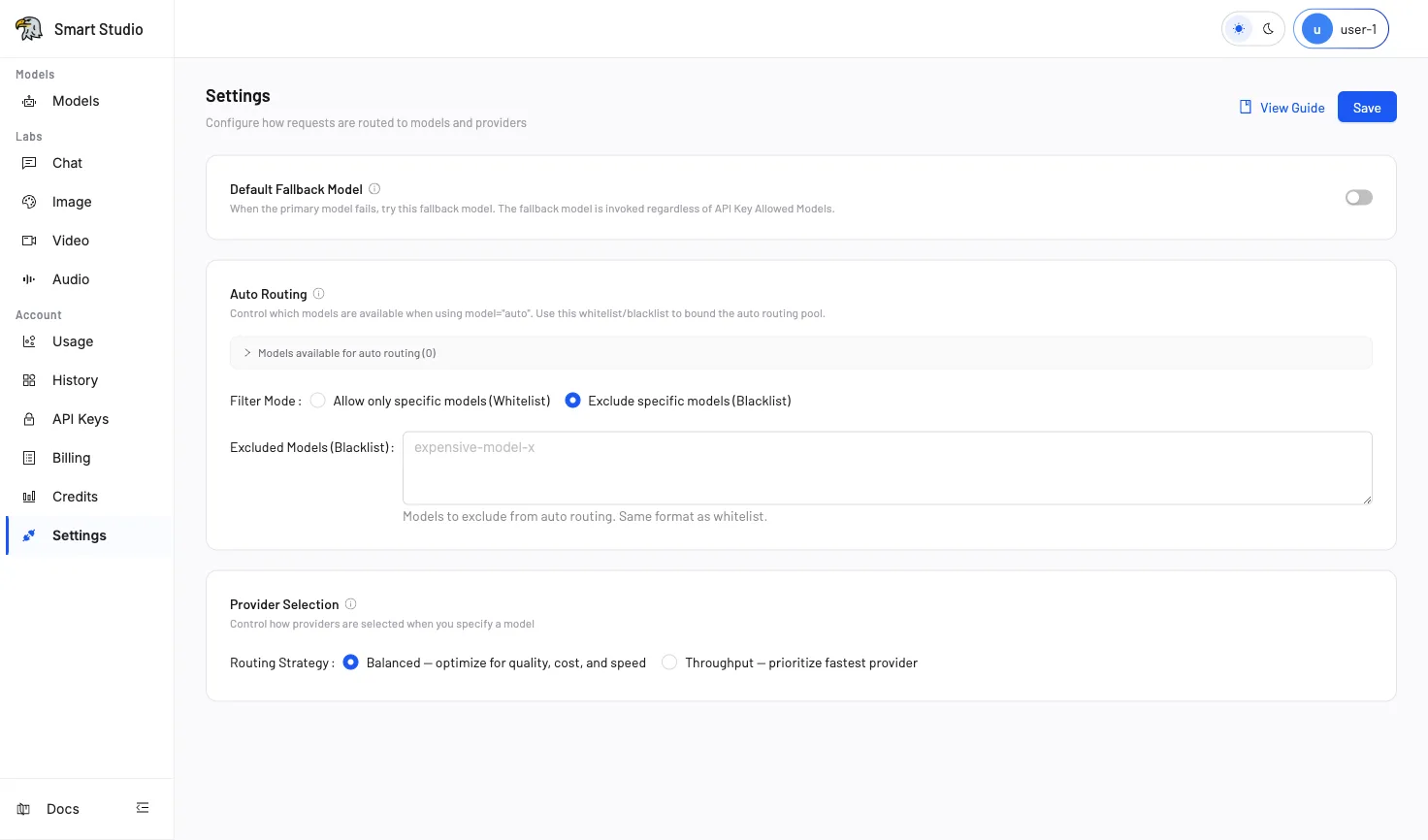
Default Fallback is a cross-model recovery policy. When all available providers for a directly requested model fail, Smart Studio can retry with the configured fallback model.
Before You Start
- Choose a fallback model that accepts the same request modality and format as the primary model.
- Confirm that the fallback has sufficient availability and an acceptable cost profile.
- Record the current policy and prepare a controlled verification request.
Configure the Fallback
- Open Account → Settings (in your deployed Console).
- In Default Fallback Model, enable the policy.
- Search for and select the backup model.
- Select Save.
The fallback model is a recovery path, not a routine model-selection strategy. Use Auto Routing when the application intentionally delegates model choice.
Auto Routing and Fallback
| Auto Routing | Default Fallback | |
|---|---|---|
| Trigger | The request sends model="auto" | All providers for a directly requested model fail |
| Model choice | Router selects from the candidate pool | Tenant-configured backup model |
| Primary goal | Dynamic model selection | Cross-model recovery |
Requests using model="auto" use the Auto Routing candidate pool and do not rely on the Tenant Default Fallback policy.
Verify the Result
- Confirm that the policy saves with the intended fallback model.
- Use an approved failure test or staging environment; do not deliberately disrupt production providers.
- Inspect History to confirm whether the fallback handled the request.
- Review Usage for the resulting model consumption.
Troubleshooting
- The policy cannot be enabled without selecting a fallback model.
- A fallback cannot correct an invalid request format or an authentication failure.
- If the primary and fallback models accept different modalities, the retry can still fail.
- Use trace information and History to distinguish provider failover from cross-model fallback.
Next Step
Review Provider Selection for provider-level routing, then monitor History and Usage after enabling fallback.