History
The History section provides detailed, request-level tracking and auditing capabilities. Here, you can search, filter, and analyze individual API requests to understand usage patterns, troubleshoot issues, and optimize your AI applications.
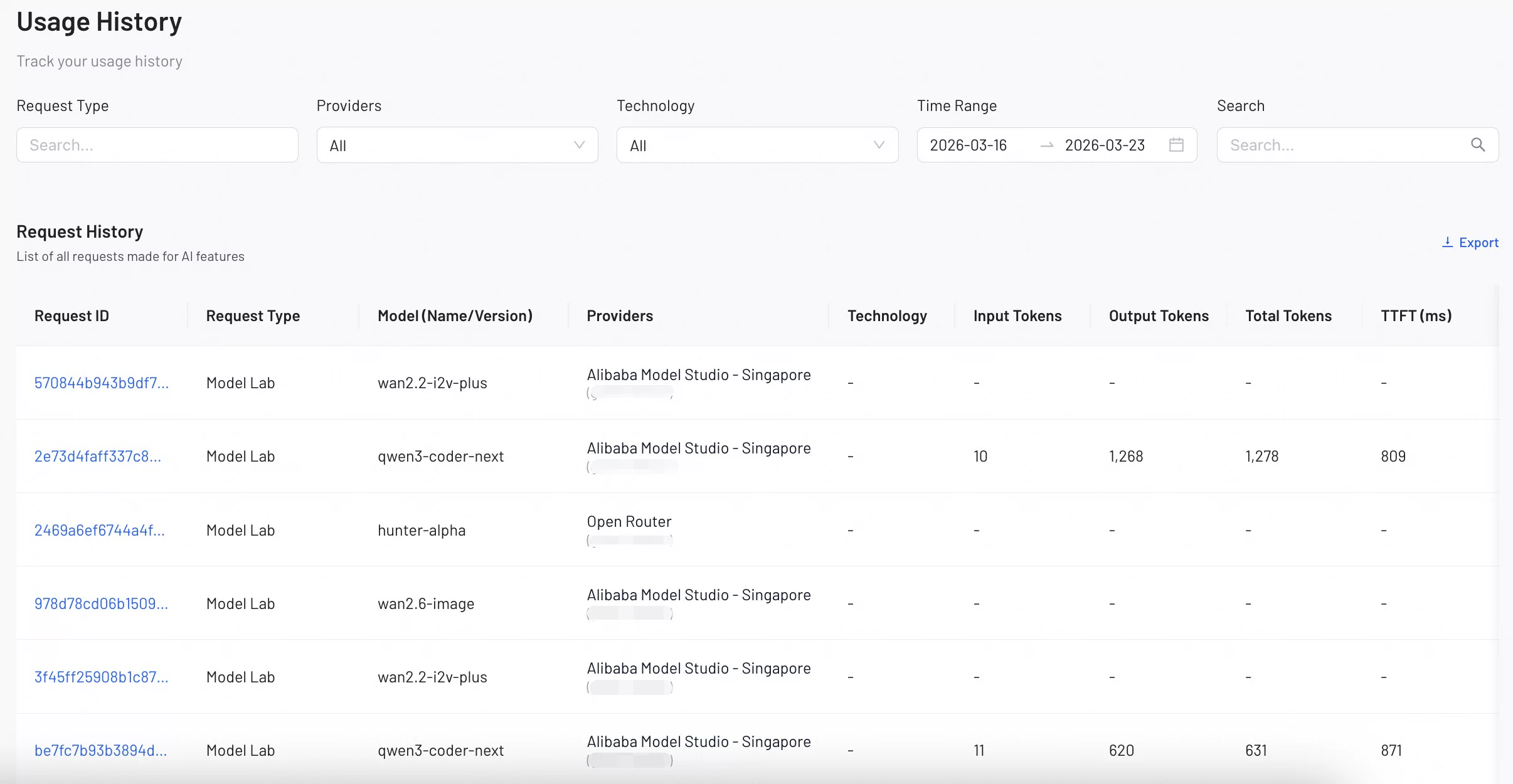
Request Details Table
| Name | Description |
|---|---|
| Request ID | The unique identifier for each API request. |
| Request Type | The category of the AI operation performed (e.g., "AI Datasets Preparation," "AI Model Recommend"). |
| Model (Name/Version) | The specific AI model and version used for the request. |
| Providers | The service provider that processed the request. |
| Technology | The AI technology category (e.g., LLM, VLM) used for the request. |
| Input Tokens | The number of input tokens sent to the model. |
| Output Tokens | The number of output tokens generated by the model. |
| Total Tokens | The total token consumption for the request, including both input and output tokens. |
| TTFT | Time to First Token - the time in milliseconds until the first token is generated. |
| Gateway Latency (ms) | The time taken for the request to pass through the gateway, measured in milliseconds. |
| Timestamp | The exact date and time when the request was processed. |
| Status Code | The HTTP status code that indicates whether the request was successful (e.g., 200) or if it failed. |
| Error Message | The detailed error information for a failed request. |
Usage Optimization Tips
- Monitor utilization percentages to optimize resource allocation and reduce costs
- Use the History section to identify peak usage times and plan capacity accordingly
- Track error rates and latency to ensure optimal user experience
- Compare token usage across different models to optimize cost-performance ratios