User Control
User Control page manages MSP users and allocates cluster resources. Available to admins only.
User List
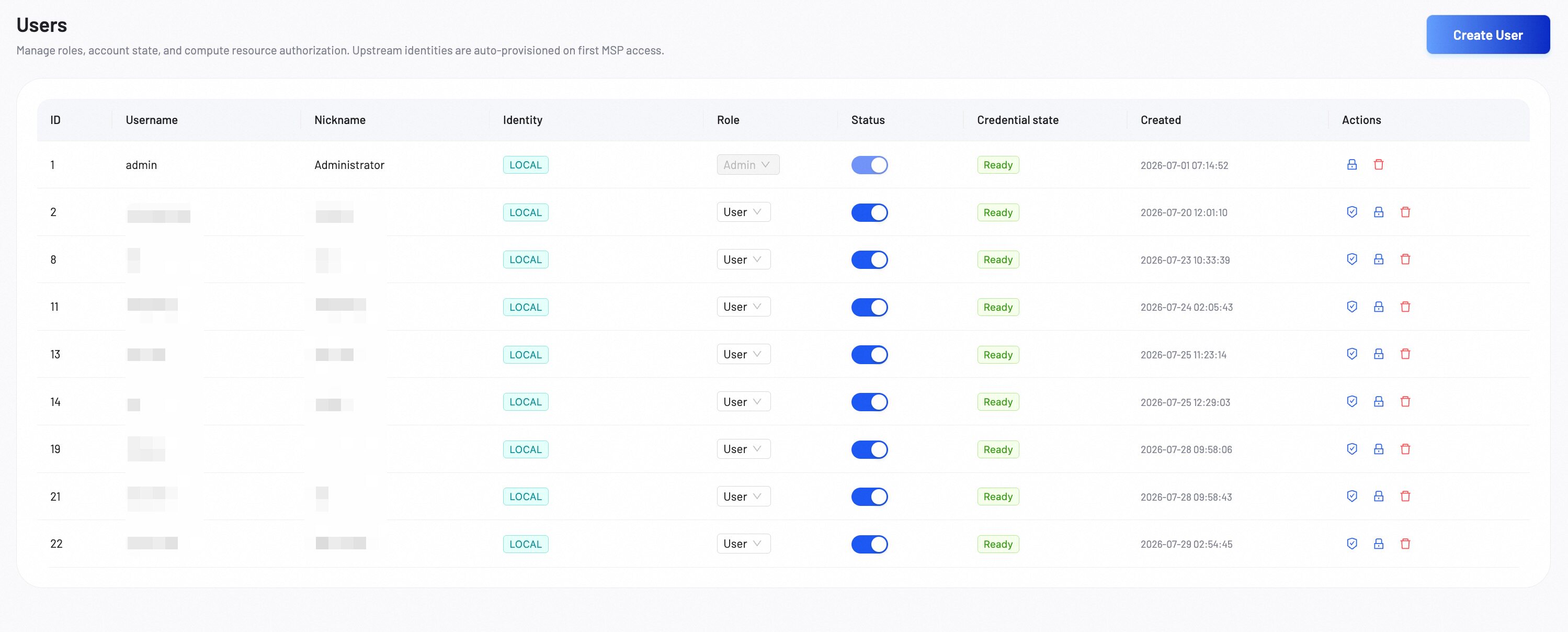
The user list displays all registered MSP members. From here you can manage user access and permissions, including changing roles, disabling accounts, and assigning cluster resource groups.
Add User
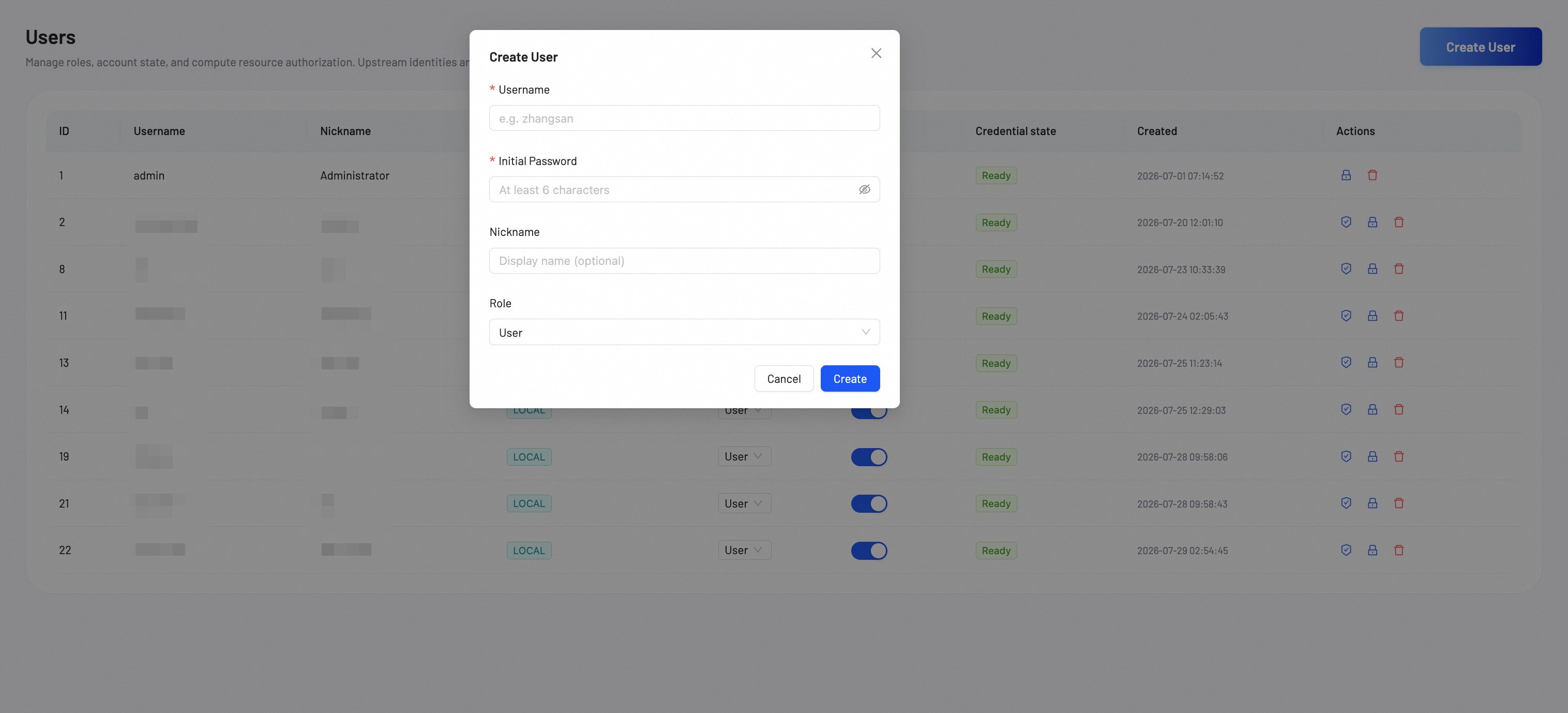
Click Create User in the top-right corner to add a new member. Fill in the following fields:
- Username: The user's login name.
- Initial Password: Set the initial password. The user must change it on first login.
- Nickname (optional): A display name for the user.
- Role: Select User or Admin.
Resource Authorization
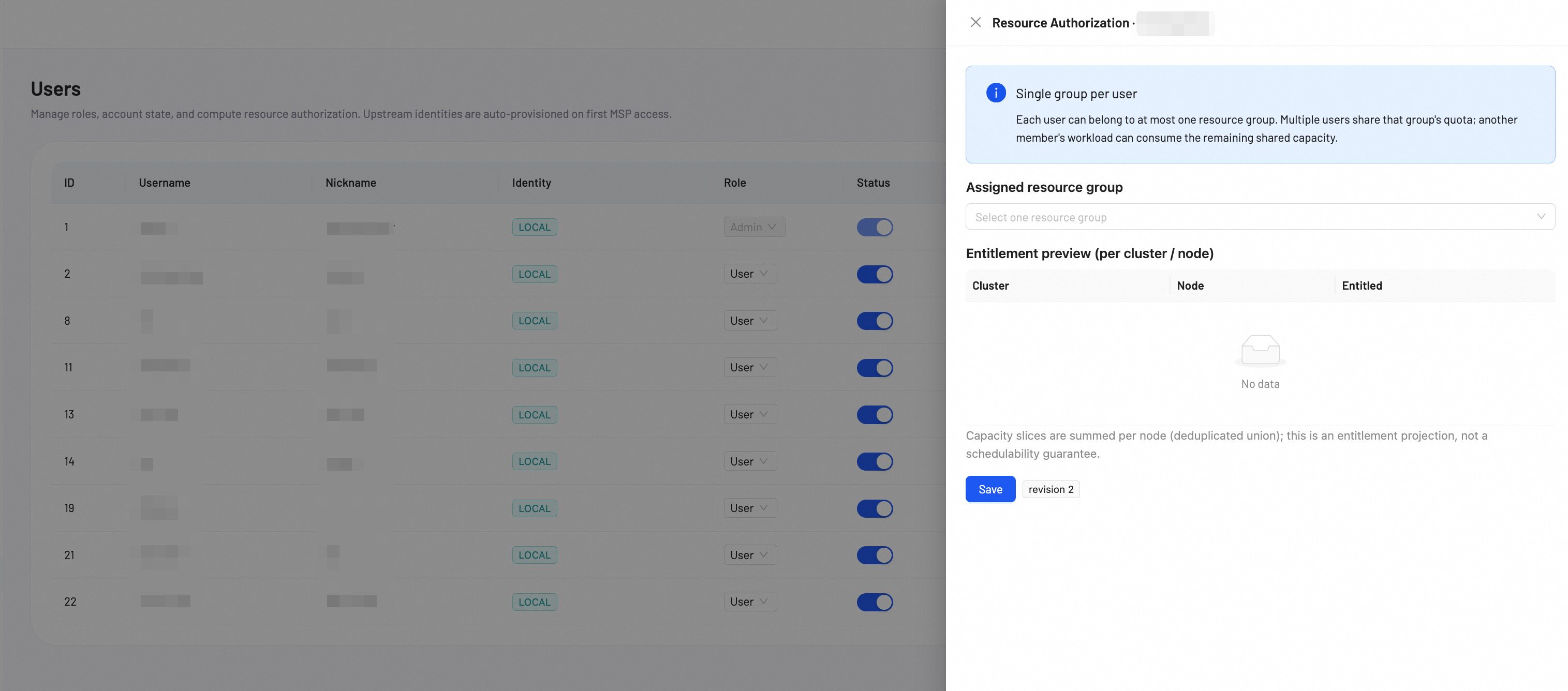
Assign a cluster resource group to a user so they can access and consume cluster resources. For detailed instructions on resource groups and entitlements, see Resource Groups.