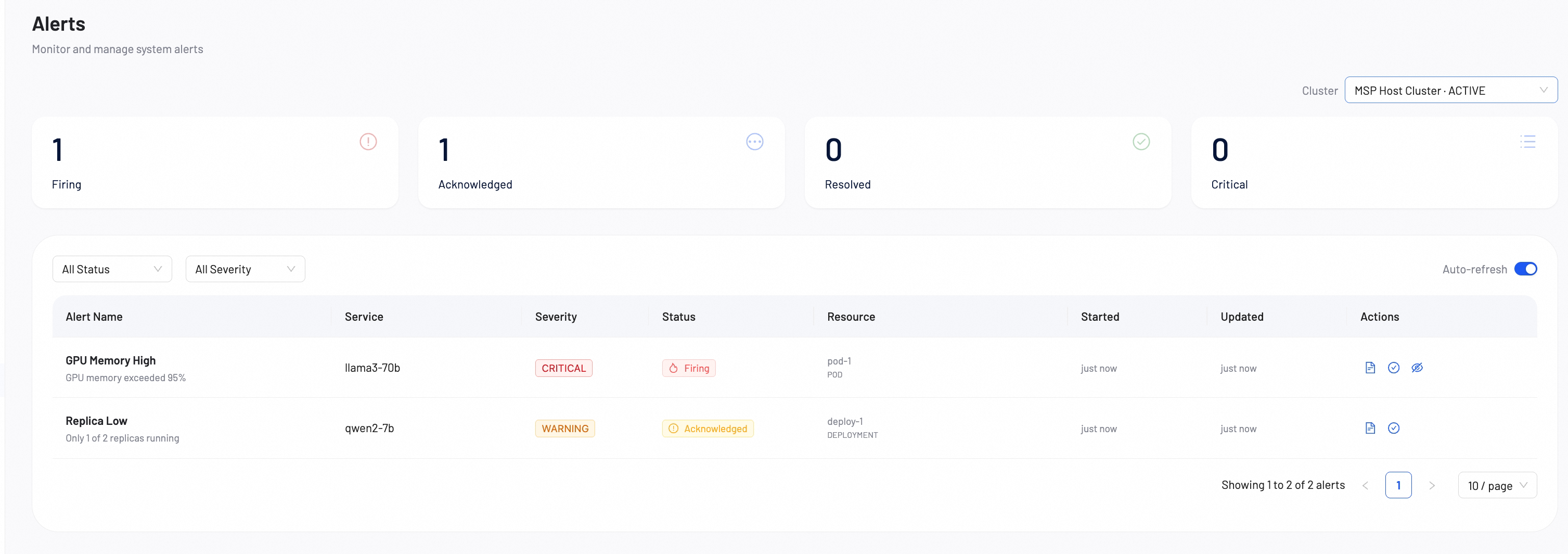
Alerts
Use the Alerts page to monitor and manage system alerts.
Filter and refresh alerts
Use the dropdown menus to filter the alert list.
- Status Filter: Filter alerts by Firing, Acknowledged, Resolved, or Ignored.
- Severity Filter: Filter alerts by Critical, Warning, or Info.
- Auto-refresh: Toggle the switch to enable or disable automatic 30-second data updates.
Manage alert lifecycle
Each alert status supports specific actions. Use the actions column to process alerts.
- Details: Click Details to view the alert metadata, namespace, and pod information.
- Ack: Click Ack on Firing alerts to change the status to Acknowledged.
- Ignore: Click Ignore on Firing alerts to silence the alert.
- Resolve: Click Resolve on Acknowledged alerts to close the alert.