API Keys
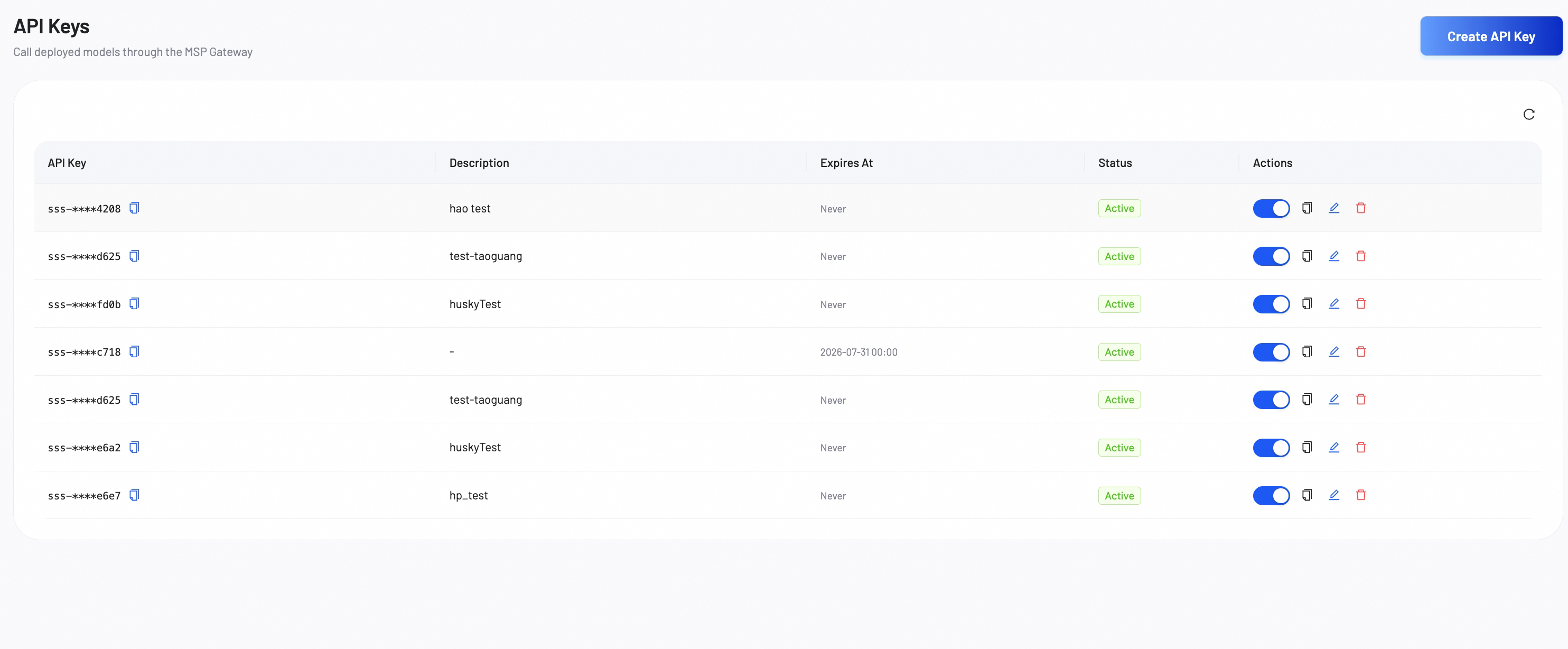
API Keys allows you to manage the credentials required to call your deployed models through the MSP Gateway.
API key list
The main dashboard lists all your existing API keys and provides tools to manage their lifecycle. You can generate new API Keys, edit information and delete API Keys at any time.
Create an API key
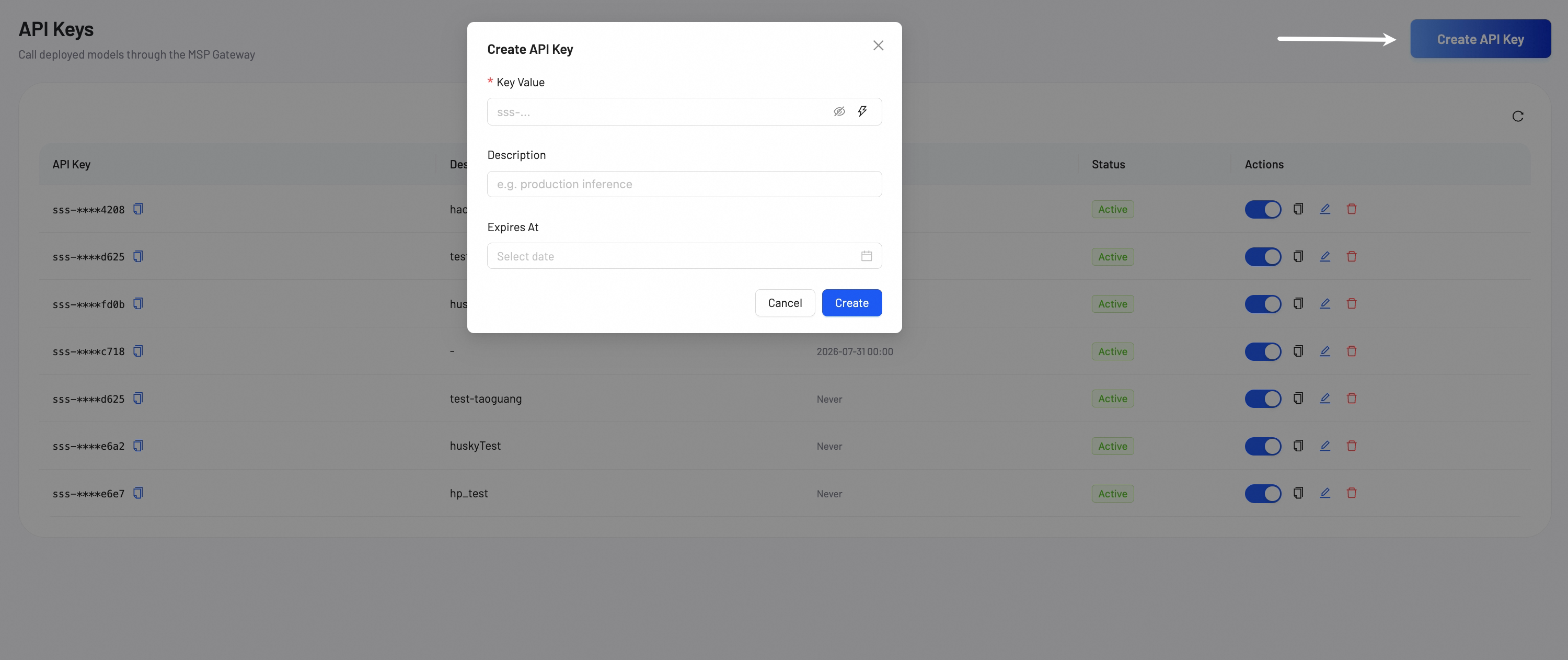
Click Create API Key to open the creation modal. Configure the following fields:
- Key Value (Required): Enter a custom key value, or click the Generate icon to auto-generate a secure random value.
- Description: Enter a label to help identify the purpose of this key (for example,
production-inference-v1). - Expires At: Select an expiration date from the calendar picker. Leave this field empty if you want the key to never expire.
Click Create to generate and register the API key.