Benchmark Evaluation
Benchmark Evaluation measures model performance against official datasets and standardized metrics. This provides precise, quantifiable insights into model capabilities.
Currently, only LLM Benchmark Single evaluation is supported.
Step 1: Configure basic settings
Select a target cluster, then configure the evaluation parameters.
- Cluster: Choose an available cluster from the dropdown. The system checks whether the cluster has sufficient capacity. If not, choose a different cluster.
- Display Name: Enter a name for this evaluation task.
- Model Type: Select LLM (Large Language Models for text tasks). VLM support coming soon.
- Evaluation Method: Choose how to evaluate your model.
- Evaluation Type: Select Single. (Comparative eval coming soon)
- Model: Select the model to evaluate. Both platform-deployed models and Router models are supported.
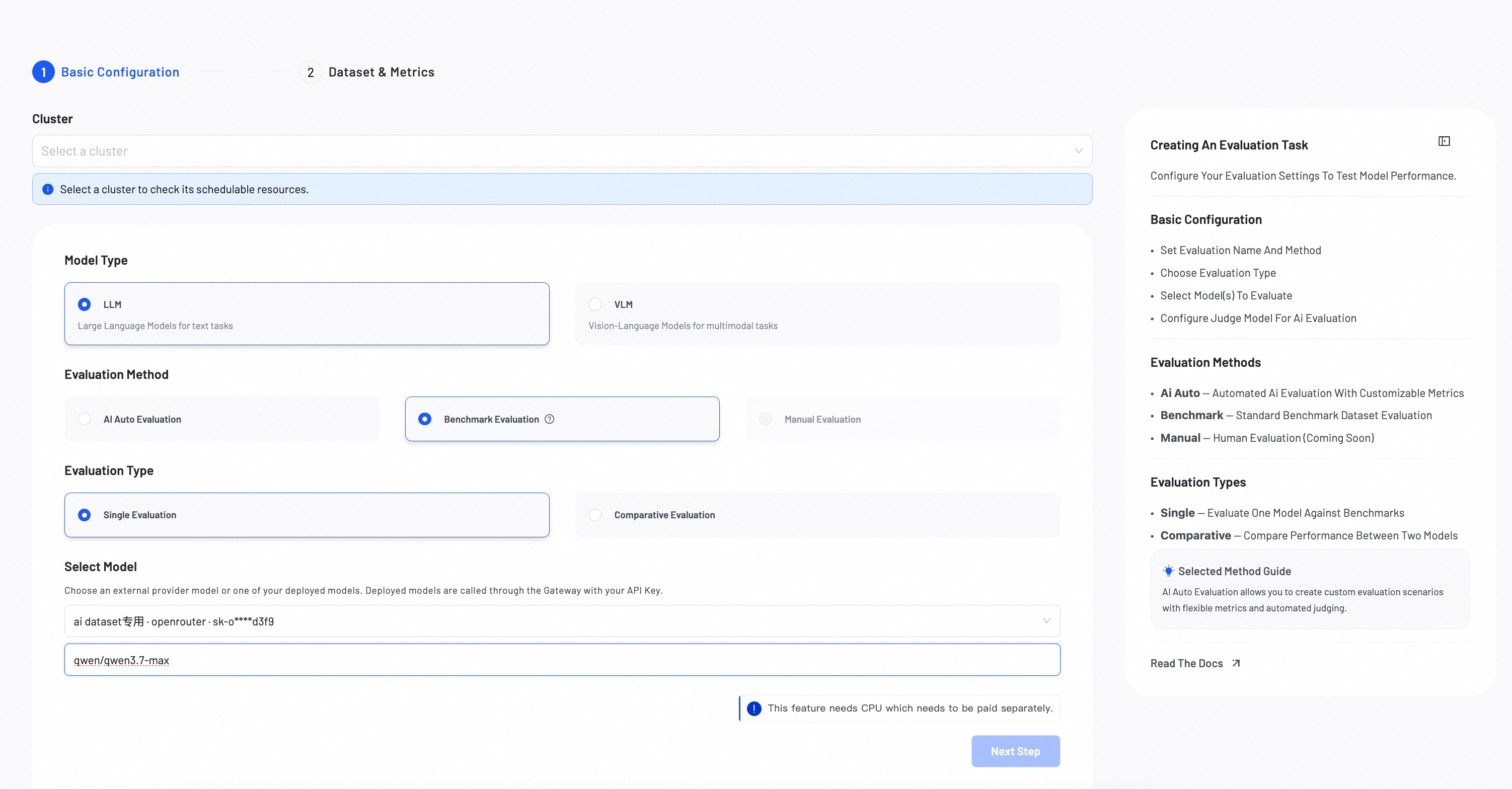
The Router model consumes large token volumes. Confirm your Provider Key is configured. Check that your account has sufficient balance before proceeding.
Step 2: Select benchmark dataset & metrics
Select a public benchmark dataset to measure model performance against industry standards.
- Choose a Benchmark Dataset Choose from standard benchmarks:
General knowledge & reasoning
- MMLU: 57 subjects across STEM, humanities, and social sciences
- HellaSwag: Commonsense reasoning
- DROP: Discrete reasoning and numerical inference
- ARC: Science and world‑knowledge reasoning
- BBH: Hard BIG‑bench subset requiring multi‑step reasoning
Math reasoning
- GSM8K: Multi‑step elementary math
- MATH: Competition‑level math and formal reasoning
Code generation
- HumanEval: Functional correctness via unit tests
Multilingual evaluation
- MGSM: Multilingual GSM8K across 10 languages
- MMMLU: Multilingual MMLU in 14 languages
- Select a dataset version Select Smoke for a 1-sample evaluation, Lite version for faster evaluation, and Full version for complete results.
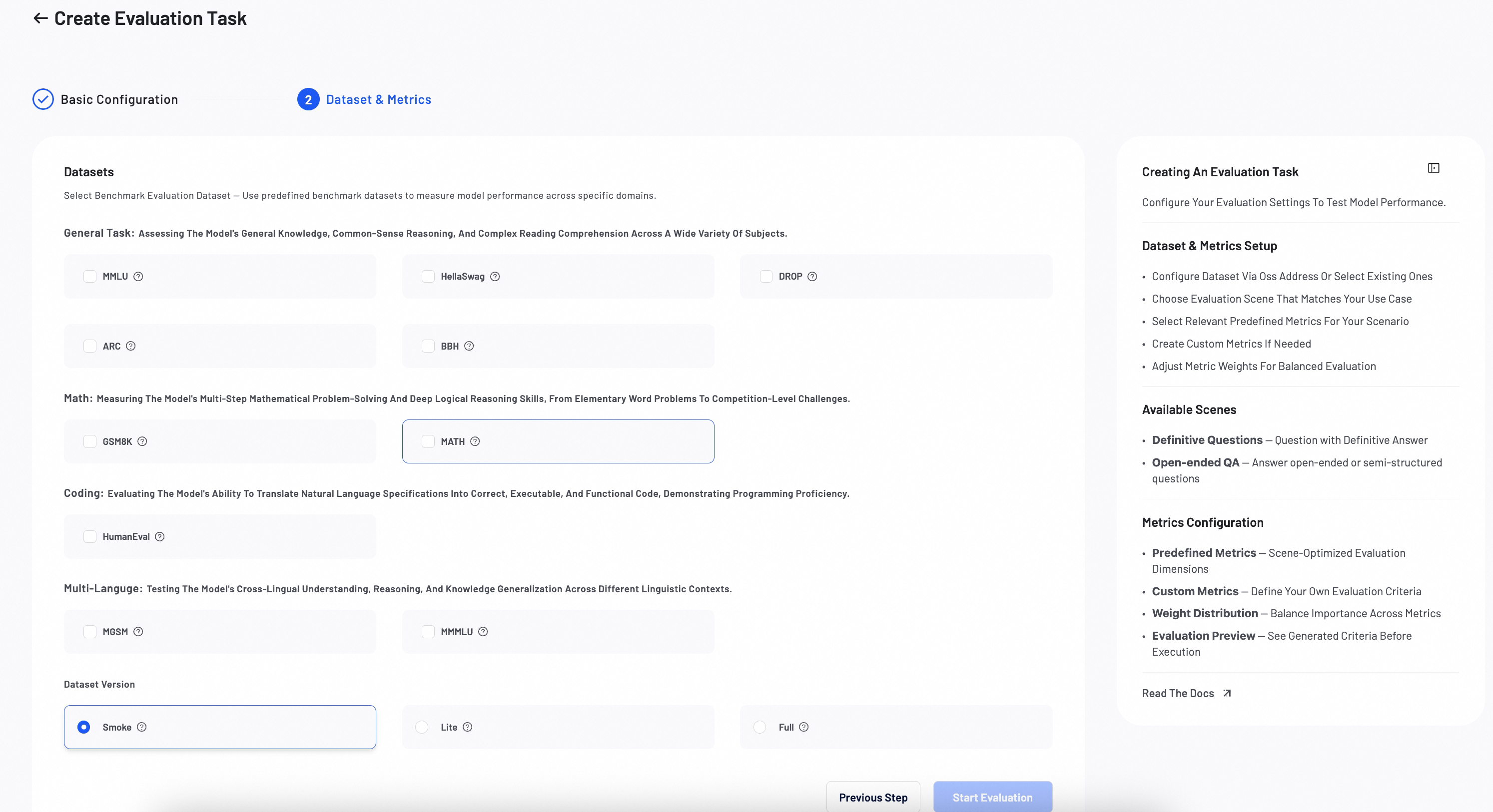
Verify all configurations, then click Start Evaluation. The evaluation progress appears in the list.
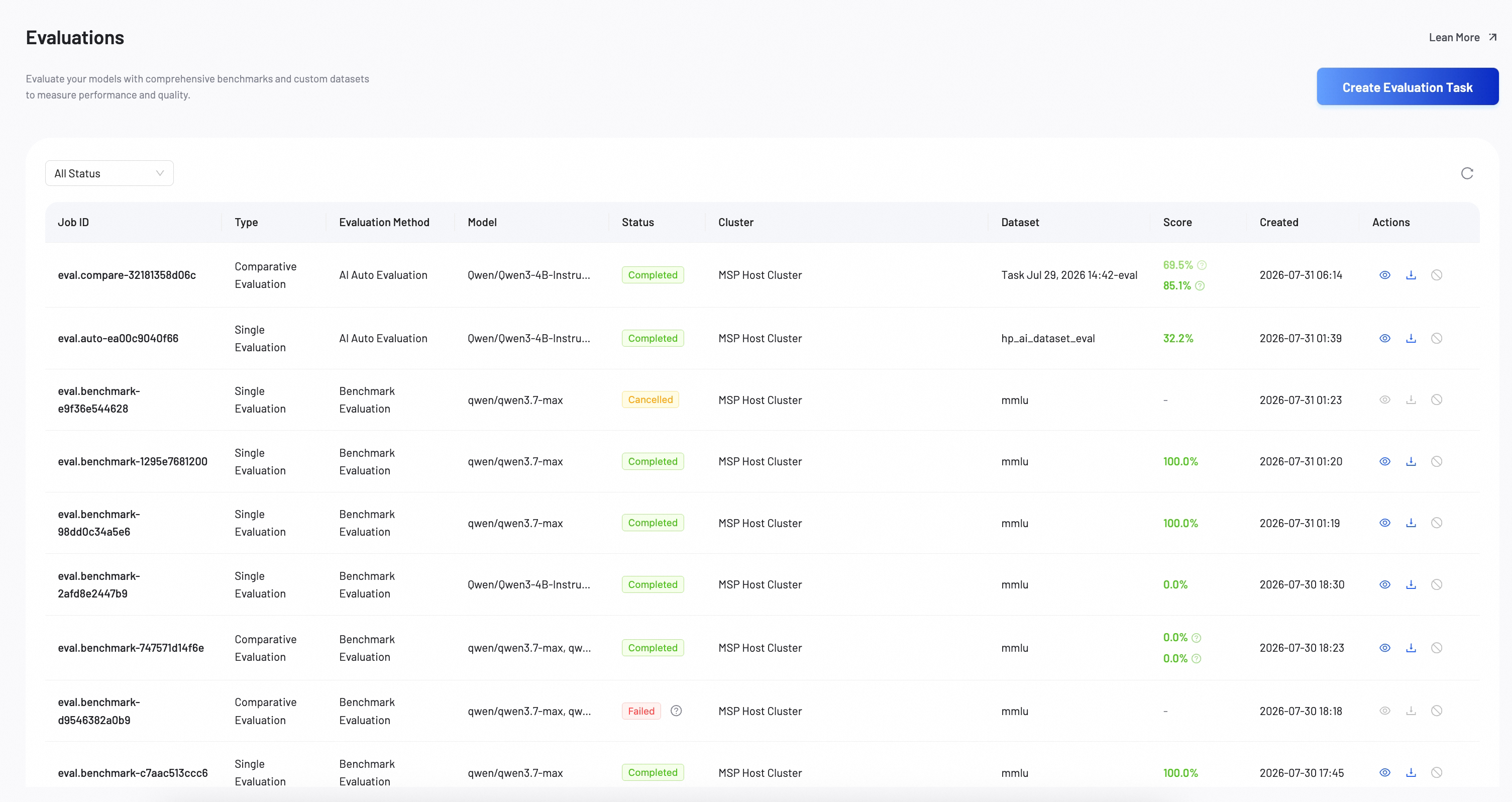
Step 3: View evaluation report
After the evaluation completes, review the detailed report to analyze model performance.
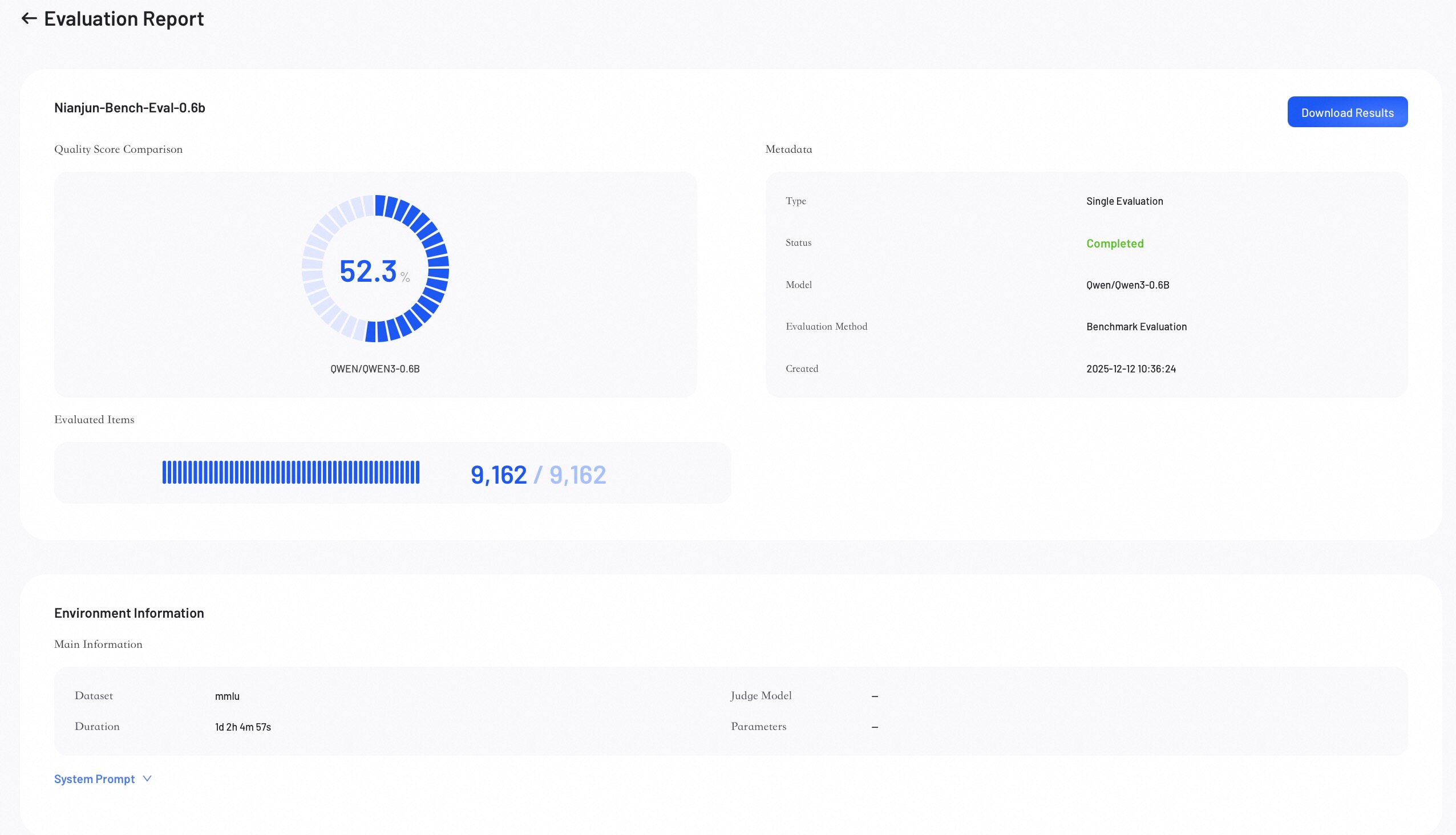
Score overview
Score Overview provides a summary of the evaluation results.
- Quality Score: Represents the model's overall weighted score.
- Evaluated Items: Shows the number of evaluated samples out of the total.
- Metadata: Lists key information about the job.
- Download Results: Click to download the complete evaluation results.
Performance metrics
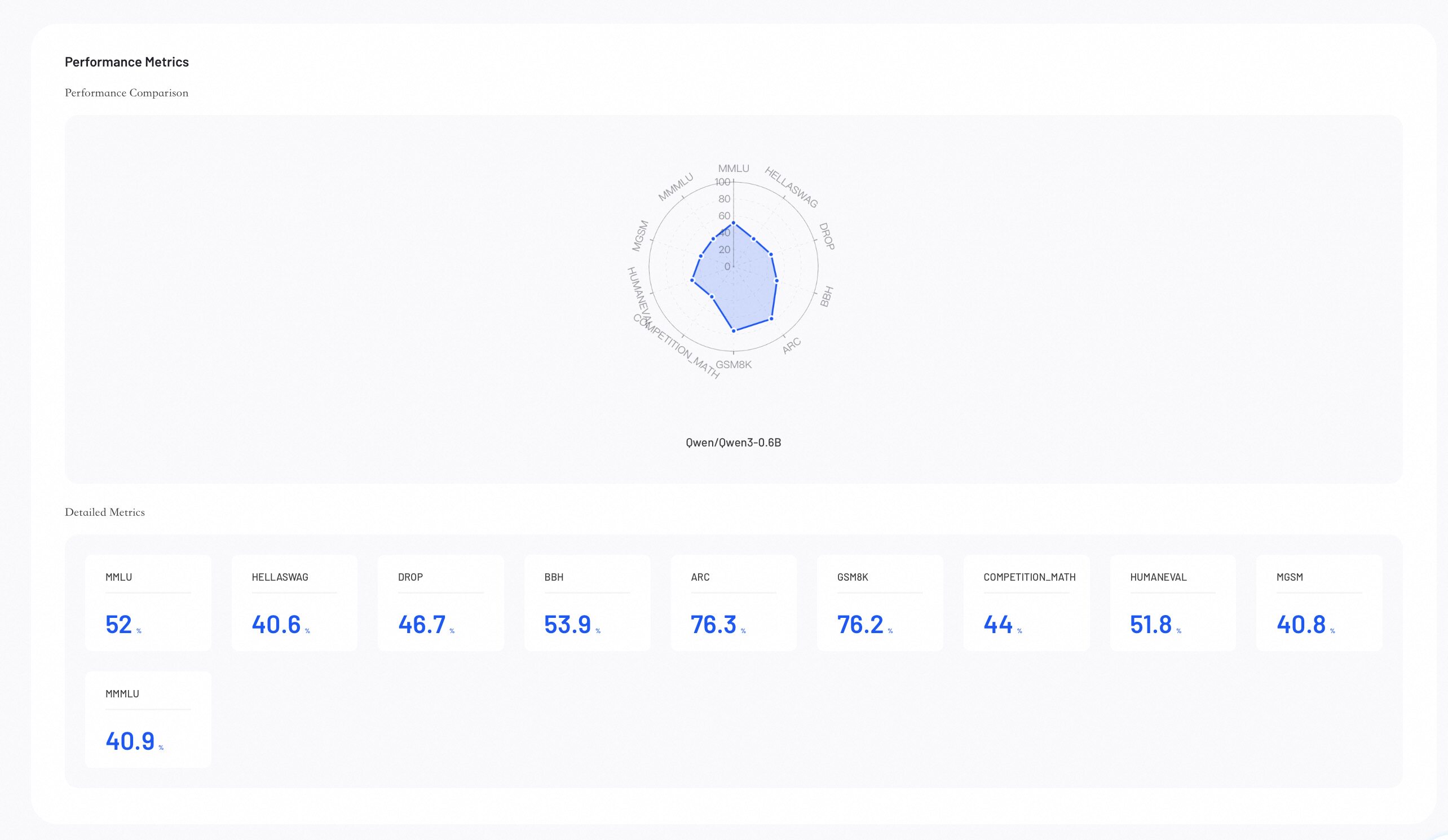
Performance Metrics provides visual insights into your evaluation results. Use these insights to identify where the model excels.
-
Performance Comparison: The radar chart compares model capabilities across all configured metrics.
-
Detailed Metrics Comparison: Lists the exact numerical scores for each evaluation metric across all models.
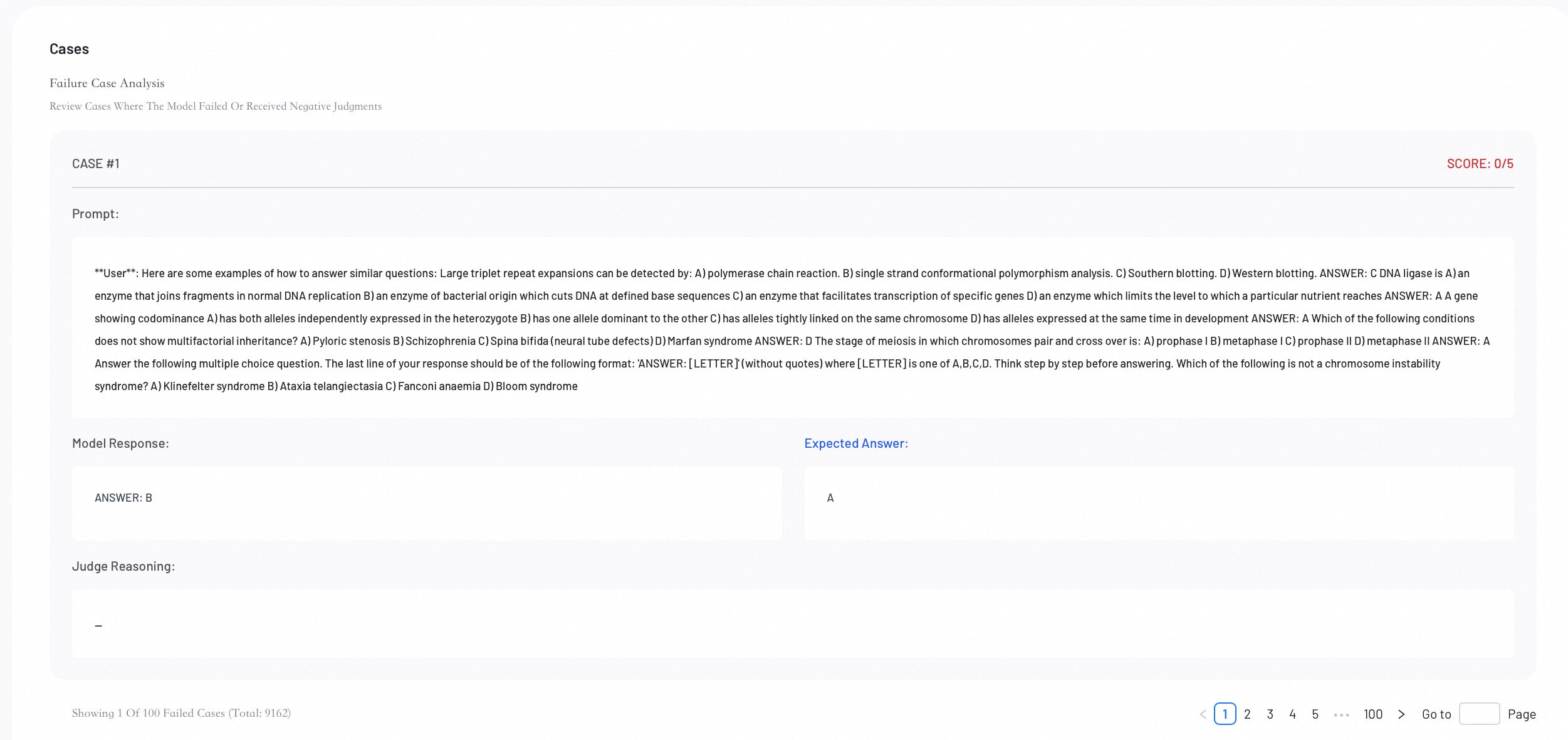
Case analysis
Review individual evaluation cases for error analysis. This helps you understand specific model behaviors.