My Models
Overview
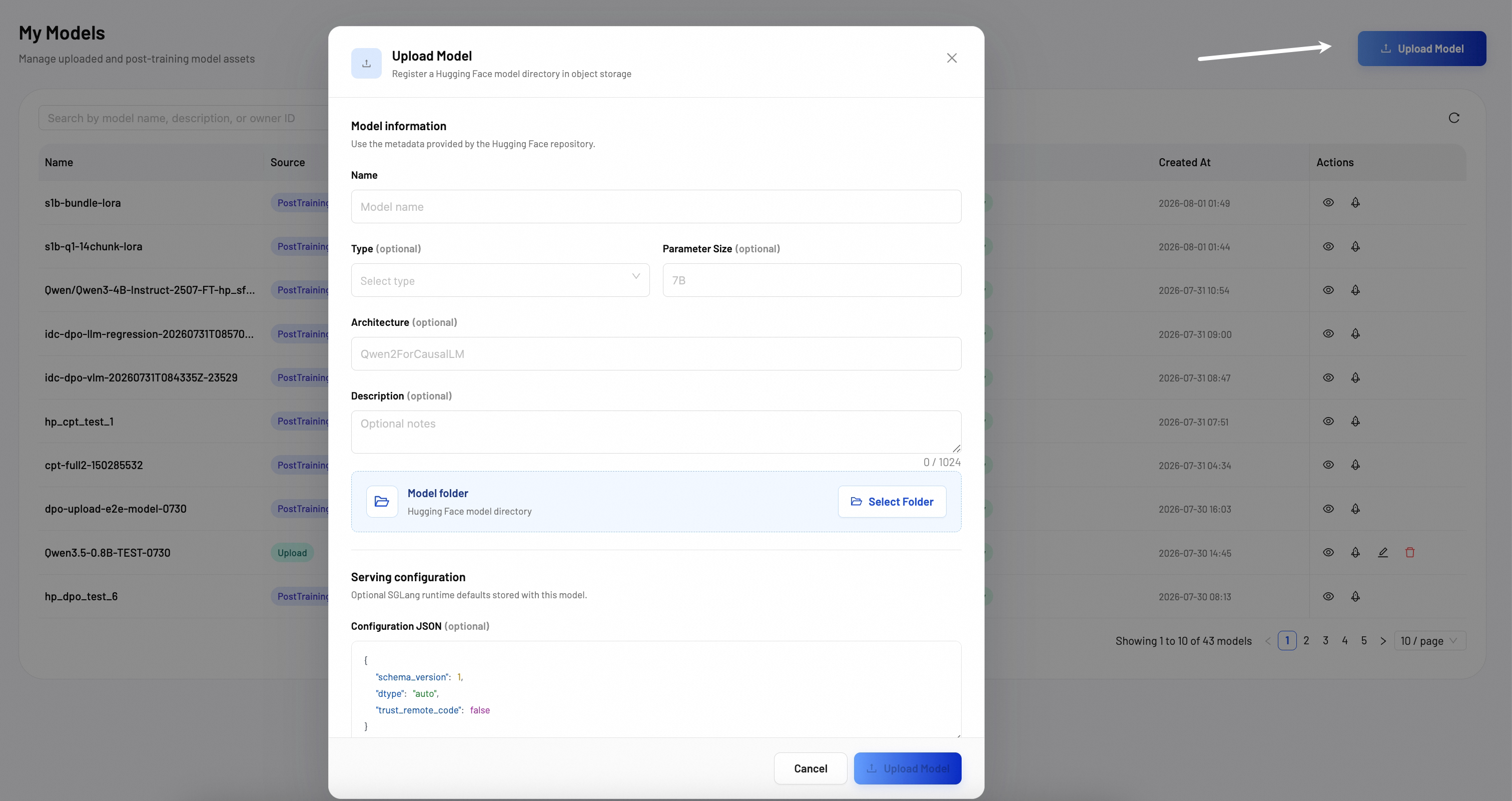
My Models page is a centralized registry for managing your model assets. On this page, you can view all model assets, upload local model weights, and import models from Hugging Face.
Model list
The Model List shows all your model assets. From this page, you can upload new models, view detailed model configurations, and quickly deploy models to active inference endpoints.
Upload model
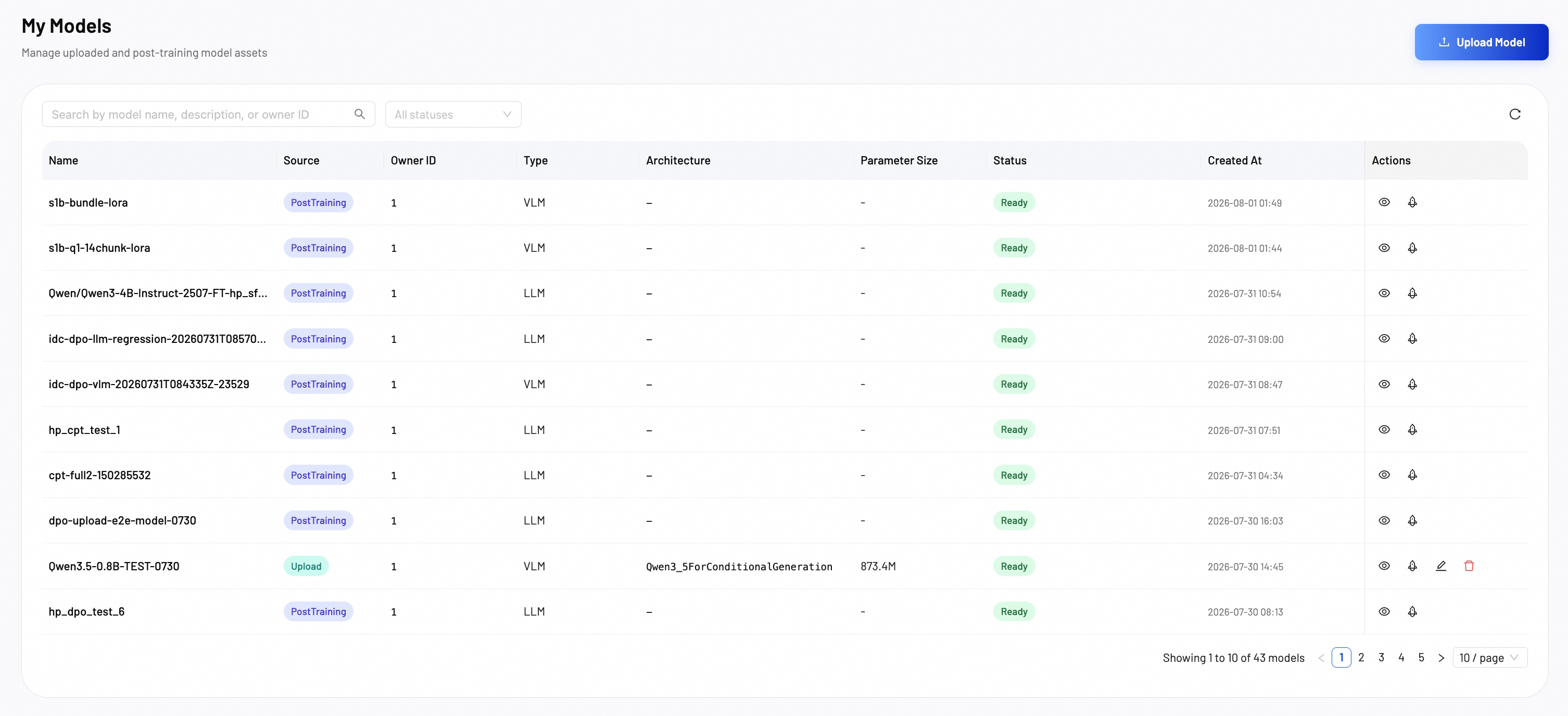
Click Upload Model to register a new model. Fill in these key fields:
- Name: Model name.
- Type (optional): Select the model type from the dropdown(LLM, VLM, Embedding, Reranker, Classification, Reward, ASR).
- Parameter Size (optional): Model parameter size (e.g., 7B, 13B, 70B).
- Architecture (optional): Model architecture (e.g., Qwen2ForCausalLM).
- Description (optional): Optional notes about the model. Maximum 1024 characters.
- Model folder: Select a Hugging Face model directory from your local machine.
Serving configuration
Optional SGLang runtime defaults stored with this model.
- Configuration JSON (optional): JSON configuration for the SGLang runtime. Example:
{
  "schema_version": 1,
  "dtype": "auto",
  "trust_remote_code": false
}